About this app
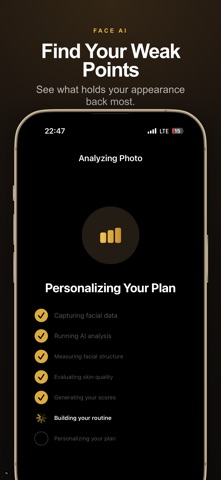
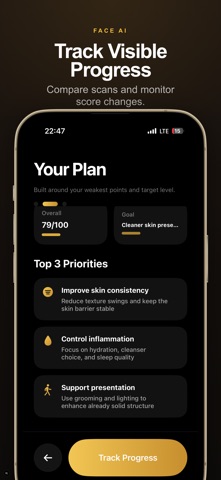
Scan your face and get AI-powered scores for symmetry, skin quality, jawline, and overall appearance. Track changes over time, compare scans, and follow routines focused on your weakest categories. How Glowly AI works: 1. Capture a clear front-facing photo with neutral expression. 2. The app detects face structure and key visual zones. 3. It estimates category scores for symmetry, jawline, skin quality, eye area, and face leanness. 4. It builds a personalized routine based on the weakest categories and your selected goals. 5. It tracks changes across scans so users can measure visible progress over time. What makes results more reliable: - Similar lighting between scans - Similar camera distance and angle - Neutral expression and centered framing - Consistent scan cadence (for example weekly) Score interpretation: - Category scores represent relative visual quality signals, not medical diagnosis. - Single-scan variation can happen due to lighting, lens distance, or facial tension. - Trend data across multiple scans is usually more useful than one isolated result. Who this is for: - Users focused on practical appearance optimization - Users who want measurable progress with routines - Users who want to compare before/after scans with consistent conditions Feature summary: - AI face scan with category-level scoring - Personalized daily routine suggestions - Progress tracking and scan comparison - Premium deep insights and advanced guidance Important notice: Glowly AI is an appearance analytics and habit-support tool. It is not a medical device, not a mental health service, and not a substitute for professional care. For skin disease, pain, or health concerns, consult a qualified professional. Frequently asked questions: Q: How often should I scan? A: Most users get cleaner trend signals when scanning every 5–10 days under similar lighting. Q: Why can scores change quickly? A: Hydration, sleep, inflammation, camera angle, and light can all affect visible features. Q: How do I improve score stability? A: Keep camera setup and scan conditions consistent, then compare trends rather than single snapshots. How Glowly AI works: 1. Capture a clear front-facing photo with neutral expression. 2. The app detects face structure and key visual zones. 3. It estimates category scores for symmetry, jawline, skin quality, eye area, and face leanness. 4. It builds a personalized routine based on the weakest categories and your selected goals. 5. It tracks changes across scans so users can measure visible progress over time. What makes results more reliable: - Similar lighting between scans - Similar camera distance and angle - Neutral expression and centered framing - Consistent scan cadence (for example weekly) Score interpretation: - Category scores represent relative visual quality signals, not medical diagnosis. - Single-scan variation can happen due to lighting, lens distance, or facial tension. - Trend data across multiple scans is usually more useful than one isolated result. Who this is for: - Users focused on practical appearance optimization - Users who want measurable progress with routines - Users who want to compare before/after scans with consistent conditions Feature summary: - AI face scan with category-level scoring - Personalized daily routine suggestions - Progress tracking and scan comparison - Premium deep insights and advanced guidance Important notice: Glowly AI is an appearance analytics and habit-support tool. It is not a medical device, not a mental health service, and not a substitute for professional care. For skin disease, pain, or health concerns, consult a qualified professional. Frequently asked questions: Q: How often should I scan? A: Most users get cleaner trend signals when scanning every 5–10 days under simila Privacy Policy: https://developing-comet-b87.notion.site/3511f542e1a3808cb917f873990d4b0e?source=copy_link Terms of Use: https://www.apple.com/legal/internet-services/itunes/dev/stdeula/
Audience growth
Ratings growth
Baseline captured. Growth appears after the crawler observes a changed rating count.
Momentum comes from crawler snapshots for the tracked storefront. “Viral growth signal” means unusually fast recent rating gains; it is an indicator, not download data.
Price tracking
Price intelligence
First snapshot captured. The trend line starts after the next crawler price observation.
- First observed Sep 16, 2026 · 1:49 AM Free
Screenshots