About this app
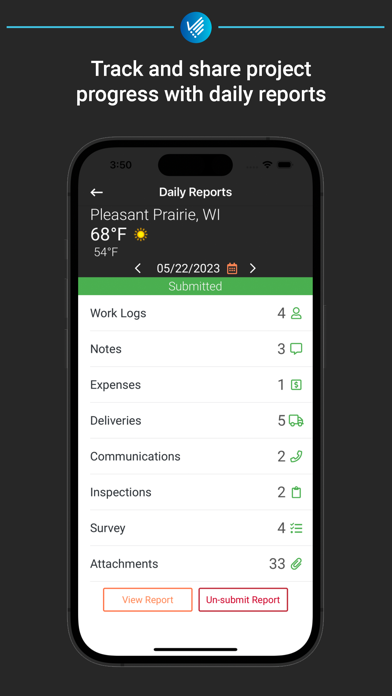
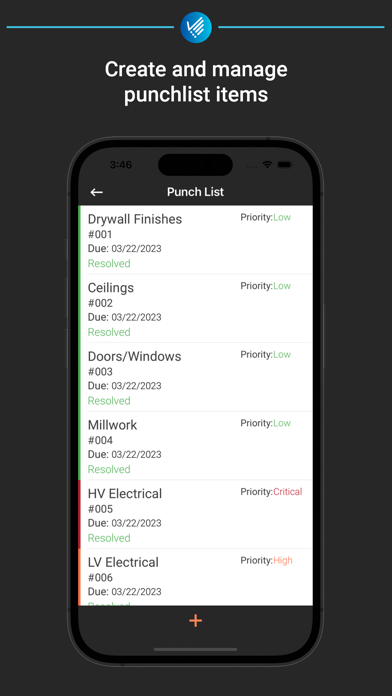
JobPlanner provides a best-in-class construction management app experience for contractors of all sizes, making it easy for construction teams to manage their construction projects from anywhere. JobPlanner's field tools enable construction teams to collaborate in real time from anywhere. Construction teams utilize JobPlanner's features, workflows, and collaboration tools to deliver construction projects on time and under budget. Drawings/Blueprints: View, markup, and share the latest project drawings from anywhere Documents: Upload, and manage specs and other project documents. View and share these documents right from your mobile device. Daily Reports: Use daily reports to log inspections, site observations, deliveries, site photos, and more. Automatically send daily and weekly reports to team members and clients to keep them updated on job progress. Site Survey: Track site conditions and safety daily effortlessly using site surveys. Custom survey forms allow you to collect the information you need, when you need it. Punch List: Close out projects fast and easy using project punch lists. Assign team members add before/after photos to track their progress to completion Action Items: Assign and track actionable items during the project's duration. Ensure tasks are complete on time to prevent overruns. RFI: Collaborate and share RFIs and their responses with your team members and external users. Schedule: Keep your projects on time with a real-time schedule. Use schedule templates and import your schedule from various scheduling softwares, allowing you to quickly share the project schedule with team members. Photos: Use the project photo gallery to view all photos taken on the project in one place.
Latest release
What’s New
* Minor bug fixes and performance improvements
Audience growth
Ratings growth
Baseline captured. Growth appears after the crawler observes a changed rating count.
Momentum comes from crawler snapshots for the tracked storefront. “Viral growth signal” means unusually fast recent rating gains; it is an indicator, not download data.
Price tracking
Price intelligence
First snapshot captured. The trend line starts after the next crawler price observation.
- First observed Aug 20, 2026 · 10:20 PM Free
Screenshots