About this app
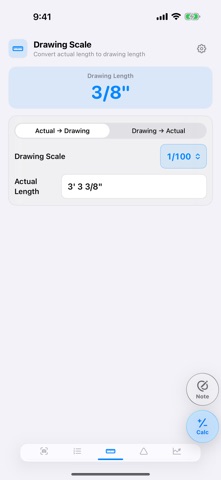
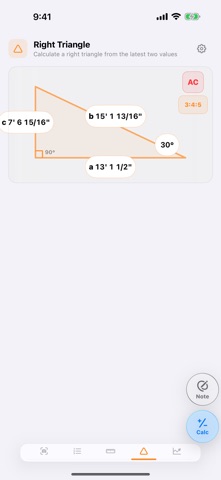
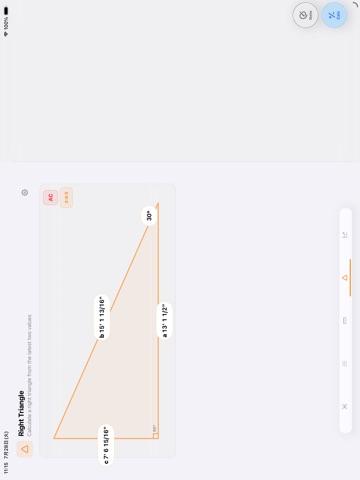
Get the jobsite numbers you need without jumping between separate tools. Jobsite Calculator Pro keeps scale conversion, right-triangle calculations, photo dimensions, sale-price calculations, and everyday arithmetic together in one fast workspace. Switch between Metric and US (ft/in) across every length tool. U.S. values display in feet, inches, and fractional inches rounded to 1/16 in, while your original measurements remain precise when you switch units. CALCULATOR & CALCULATION NOTES Run everyday calculations and keep up to 100 results in a ruled notebook. New results appear at the top, and saved rows can be reordered from their handles. DRAWING SCALE Convert actual dimensions to drawing lengths, or drawing lengths back to full size. Includes 1:50, 1:75, 1:100, 1:150, 1:200, and a custom scale. RIGHT TRIANGLE Enter the latest two known values among base, hypotenuse, height, and angle to calculate the other two. A dedicated 3:4:5 mode calculates the remaining sides from any one side. SALE PRICE Calculate a sale price from cost and gross margin rate or gross profit. Reverse the calculation from sale price when needed. Currency-neutral values make the tool useful with any currency. PHOTO DIMENSIONS Mark up to three color-coded dimensions by tapping two points on a photo, enter each measurement with the calculator, and save the annotated image to your photo library. ONE-HANDED CALCULATOR Use the same responsive calculator on every screen. In US length fields, quick keys handle feet and common fractions from 1/2 to 1/16 in. HANDWRITTEN NOTES Open a persistent drawing pad from any screen, write with a finger or Apple Pencil, and save a snapshot when needed. Your calculations and settings stay on your device. No account is required. Designed for iPhone and iPad, including compact iPhone screens, iPad mini portrait use, and side-by-side tools on larger iPads in landscape.
Latest release
What’s New
Fixed an issue that could prevent finger drawing in the handwritten memo on iPhone. Added selectable rounding for sale-price calculations, kept a manually closed calculator from reopening when history rows are checked, and widened operator keys on iPad.
Audience growth
Ratings growth
Baseline captured. Growth appears after the crawler observes a changed rating count.
Momentum comes from crawler snapshots for the tracked storefront. “Viral growth signal” means unusually fast recent rating gains; it is an indicator, not download data.
Price tracking
Price intelligence
First snapshot captured. The trend line starts after the next crawler price observation.
- First observed Sep 12, 2026 · 2:57 AM Free
Screenshots