About this app
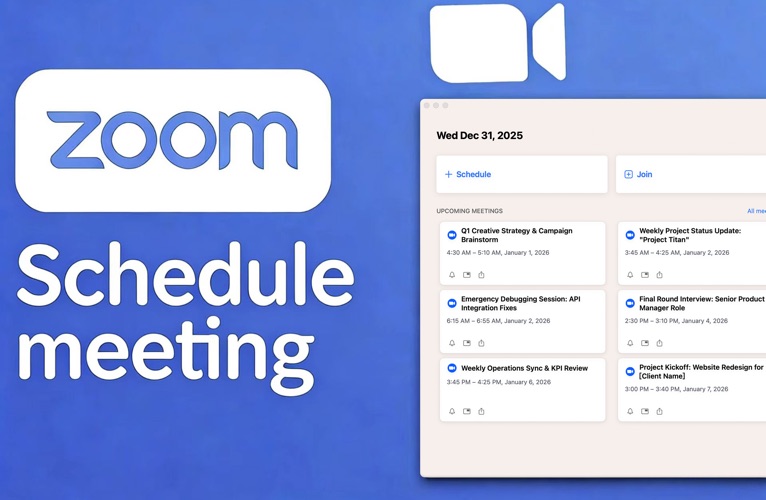
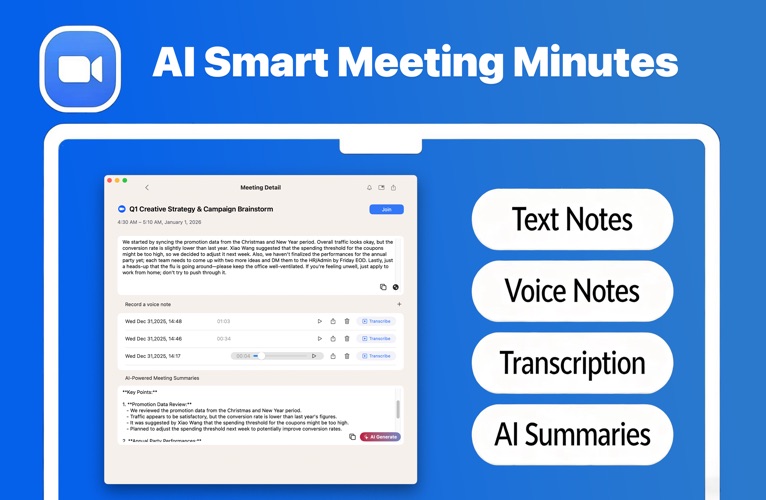
This app is designed for Zoom users who need efficient meeting management and seamless collaboration. It allows you to create meetings, manage schedules, record content, and generate high-quality AI summaries with ease—making every meeting more efficient and more organized. Key Features Quick Meeting Start & Scheduling • Enter Zoom meetings instantly with one tap, avoiding unnecessary steps • Schedule future meetings in advance and arrange meeting details ahead of time Zoom Meeting Management • Receive countdown alerts before meetings begin • Add meetings to your desktop for quick access • Sync meetings with system Reminders • Add meetings to Calendar to ensure you never miss an event Meeting Recording • Record meetings manually and save full audio for easy post-meeting review • All recordings can be played back or shared at any time • Convert recorded audio to text for fast, editable meeting transcripts Meeting Notes • Dedicated text input area for manual note-taking • Record key points, discussion items, and tasks during the meeting • Save notes alongside recordings for convenient reference AI Meeting Overview & Summary, AI automatically analyzes and integrates: • Your written notes • Transcribed text from your audio recordings And generates: • A clear meeting overview • Accurate content summaries • Highlighted key points and actionable follow-up items This makes your post-meeting review faster, easier, and far more efficient. Quick Meeting Access • Join upcoming meetings instantly with a single tap • Enter any meeting via its link or Meeting ID • Reduce unnecessary steps and improve joining efficiency Whether you frequently participate in online meetings or need structured records for team collaboration, this app helps you organize schedules, capture information, and improve productivity more effectively. Transform your meetings from simple discussions into clear, structured, and actionable workflows. Try it now and make every meeting truly valuable. If you have any questions or suggestions, email us at support@digitaldreamapps.com. You can read Privacy Policy & Terms of Use here https://digitaldreamapps.com/terms-of-service.html https://digitaldreamapps.com/privacy-policy.html Subscription Information · Payment will be charged to your iTunes account at confirmation of purchase. · Subscription automatically renews unless auto-renew is turned off at least 24 hours before the end of the current period. · The account will be charged for renewal within 24 hours of the end of the current period, and the renewal cost will be provided. · The user may manage subscriptions. After purchase, auto-renewal can be turned off by going to the user's Account Settings. · Cancellations and refunds are managed by the store directly. Disclaimer This application is not affiliated with, authorized by, endorsed by, or in any way officially connected with Zoom Video Communications, Inc. Any Zoom-related names, icons, or interface elements used in this app are for descriptive or user-identification purposes only. All trademarks and copyrights remain the property of their respective owners. Please refer to Zoom’s official policies and terms of use.
Latest release
What’s New
- Bug fixes and performance improvements for a more stable and smoother experience.
Audience growth
Ratings growth
Baseline captured. Growth appears after the crawler observes a changed rating count.
Momentum comes from crawler snapshots for the tracked storefront. “Viral growth signal” means unusually fast recent rating gains; it is an indicator, not download data.
Price tracking
Price intelligence
First snapshot captured. The trend line starts after the next crawler price observation.
- First observed Aug 8, 2026 · 5:31 PM Free
Screenshots