About this app
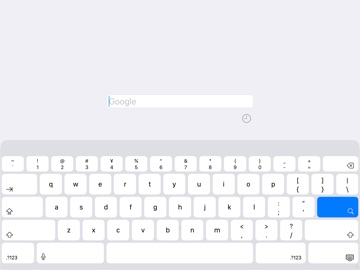
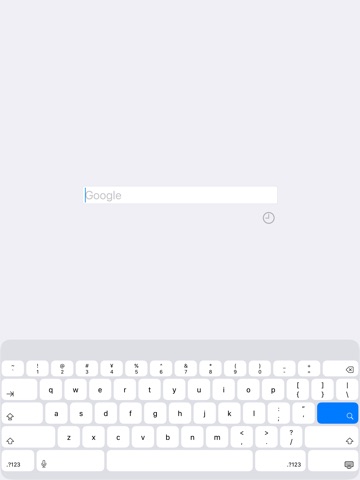
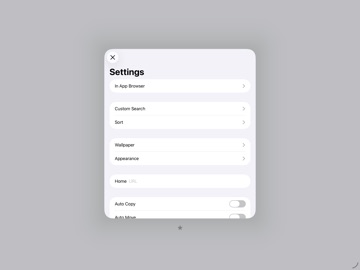
Just Quick Search HD is helper app for iPad to your search very quickly. # Search Targets - Google - Wikipedia - In addition to the above, you can add search targets. # You can input quickly - You don't need to scroll. - You don't need to tap the text field. - When application resumed, text field is empty and you can input immediately. # History - Keywords you enter are recorded. - Max 300 items. - Can delete all. - Can delete selectively. # Autocomplete - Input candidates will be displayed in a two-stage. - Top: from History. - Bottom: from Web. # Search Targets Select Screen - Tap the right side of the search screen to display it. - Save ON: When application launch or resume, the search target is you selected last. - Save OFF: When application launch or resume, the search target is the top. # Settings - The view shows when you tap the "STAR" button at the bottom of the right screen. ## In App Browser - Show search results in built-in browser. - In App Browser URL scheme is "jqs". ## Custom Search - You can customize the search targets. - The number of search targets you can add is unlimited. - For more information, please visit the support page. ## Sort - You can sort search targets. ## Wallpaper - You can set the wallpaper. - Optimal image size is a square with one side equal to the maximum pixel size of the device. - Ex) 13-inch iPad Pro: 2,752 x 2,752 pixels. ## Appearance - You can select the appearance, default or light or dark. ## Home - You can specify the URL of Home page. - In the search screen, when the text field is empty and you tap the "Search" button, the home page will be displayed. ## Auto Copy - When execute search, the contents of the text field will be copied to the clipboard. ## Auto Move - Automatically displays the search target selection screen when the application is launched or restarted. ## Auto Search - When launching from the custom URL scheme or notification center, the search is execute automatically. ## Open URL - When you execute a search with the URL is entered, open the URL directly. - For more information, please visit the support page. ## Support - Jump to the support page of this app. # Custom URL Scheme - Custom URL Scheme is "justquicksearchhd". ## justquicksearchhd:// - Launch this app. ## justquicksearchhd://${keyword} - With the ${keyword} has been entered, this app is launched. # EULA - https://www.apple.com/legal/internet-services/itunes/dev/stdeula/
Latest release
What’s New
Optimized for iPadOS 26.
Audience growth
Ratings growth
Baseline captured. Growth appears after the crawler observes a changed rating count.
Momentum comes from crawler snapshots for the tracked storefront. “Viral growth signal” means unusually fast recent rating gains; it is an indicator, not download data.
Price tracking
Price intelligence
First snapshot captured. The trend line starts after the next crawler price observation.
- First observed Aug 12, 2026 · 10:18 PM $9.99
Screenshots