About this app
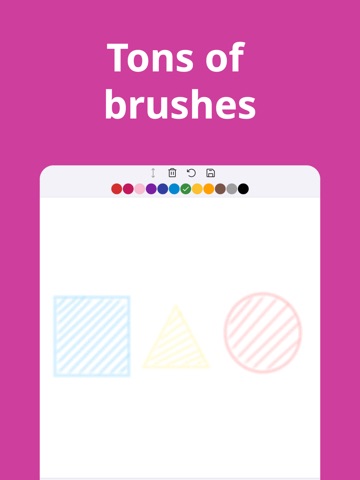
Kinder Paint was created by the developer for their own 3-year-old child. Built around three pillars—safety, comfort, and expressive power—and developed under the guidance of an AMI Montessori teacher, it reflects Montessori principles and is designed as a high-performance creative tool that children can use easily anytime, anywhere. Why kids love it ◎ Super simple UI they can use on their own ◎ Shapes tool: circles, squares, triangles, stars ◎ One-tap Fill (bucket) for fast coloring ◎ Realistic brushes: crayon, pencil, marker, etc. Why parents love it ◎ No ads. No accounts. Works offline ◎ Quick Save to Camera Roll (Photos) ◎ Designed for independent play and creativity ◎ Made for iPhone and iPad Features ◎ 7 brush types (including crayon, pencil, fountain pen, watercolor marker) ◎ 4 shape tools (line, circle, triangle, square) ◎ 3 color palettes, 48 colors total (Basic 12, Basic 24, Pastel 12) ◎ Create your own color palettes ◎ Fill tool ◎ Undo tool ◎ Apple Pencil support Kinder Paint helps unlock children’s creativity. ■ Draw with multiple canvases • Drawing canvas: a simple square canvas for quick drawing • Paint canvas: layers for more serious artwork • Sketch canvas: practice pencil sketching • Manga canvas: great for drawing comics • Dot canvas: great for pixel art ■ Lots of tracing lessons to get better (Paint Academy) • Tracing lessons for geometric shapes • Tracing lessons for animal portraits ■ Subscription Details (Kinder Paint Pro) • Unlocks: Manga canvas, Dot (pixel-art) canvas, Paint Academy, and unlimited canvases • Plans: Monthly / Annual • Price: Displayed in the App Store purchase sheet (tax included) • Billing: Charged to your Apple ID account upon purchase confirmation • Auto-renewal: Your subscription automatically renews at the same price unless auto-renew is turned off at least 24 hours before the end of the current period • Renewal charge: Applied within 24 hours prior to the end of the current period • Management: After purchase, manage your subscription and turn off auto-renewal in your App Store account settings • Cancellation: Cancel at least 24 hours before the next renewal date via your App Store account settings • No refunds are given for unused portions of a subscription period (per Apple's policy) You can keep using the core drawing features for free. ■ Legal • Terms of Service: https://www.studyx.app/terms • Privacy Policy: https://www.studyx.app/privacy
Latest release
What’s New
- Added new Paint Academy content: 18 Leaf Shapes and 27 Emoji
Audience growth
Ratings growth
Baseline captured. Growth appears after the crawler observes a changed rating count.
Momentum comes from crawler snapshots for the tracked storefront. “Viral growth signal” means unusually fast recent rating gains; it is an indicator, not download data.
Price tracking
Price intelligence
First snapshot captured. The trend line starts after the next crawler price observation.
- First observed Aug 19, 2026 · 7:20 PM Free
Screenshots