About this app
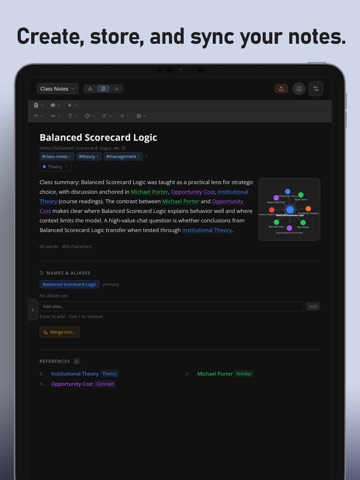
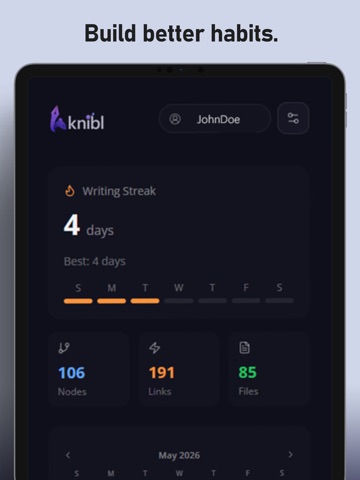
knibl is an notetaking and knowledge mapping app that turns scattered ideas into a connected knowledge graph. Built for writers, worldbuilders, researchers, students, and creative thinkers, knibl helps you capture notes, extract entities, visualize relationships, and organize complex projects in one place. Automated extractions and AI-augmented processes trivialize the monotony of other notetaking systems to give you more time for writing. Whether you are drafting a novel, building lore, planning a campaign, or structuring deep research, knibl is designed to help you think in connections instead of isolated documents. Terms of Use (EULA): https://www.apple.com/legal/internet-services/itunes/dev/stdeula/ - AI note extraction and entity mapping: Import raw text or any common text format, then let knibl identify key concepts, people, places, and relationships to automatically build a visual story graph you can explore, edit, and expand. - Cross-device sync: Automatically keep notes and graph data synced so you can capture ideas and continue deep on any device without interruption. - Security-first architecture: Workspace content is encrypted at rest with AES-256-GCM, and core account/API protections are designed to support reliable, privacy-conscious creative work. - Share links for notes, folders, and workspaces: Generate viewable links when you want to present specific content to collaborators, readers, or stakeholders without exposing your full private environment. - Backlinks and relationship-first navigation: Jump from any note to related notes fast, reinforce bidirectional context, and keep important references discoverable as your workspace grows. - AI Workspace chat with graph-aware context: Ask questions about your workspace, request summaries, trace how entities connect, and get context-aware answers grounded in your notes and graph structure. - Daily journal and streaks: Capture day-by-day progress in a dedicated journal workflow, then revisit entries over time to track momentum, ideas, blockers, and creative development. - Graph analytics and progress insights: Track nodes, links, files, and weekly activity with built-in dashboard views that help you measure output and keep long-form projects moving. Prefer a fully manual workflow? Disable AI features while continuing to use editing, graphing, journaling, organization, and file-management tools.
Latest release
What’s New
Bugfixing
Audience growth
Ratings growth
Baseline captured. Growth appears after the crawler observes a changed rating count.
Momentum comes from crawler snapshots for the tracked storefront. “Viral growth signal” means unusually fast recent rating gains; it is an indicator, not download data.
Price tracking
Price intelligence
First snapshot captured. The trend line starts after the next crawler price observation.
- First observed Aug 7, 2026 · 8:56 PM Free
Screenshots