About this app
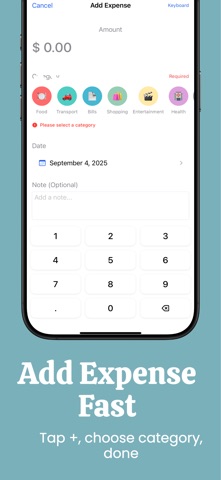
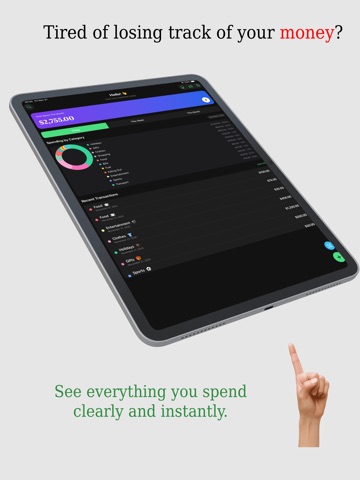
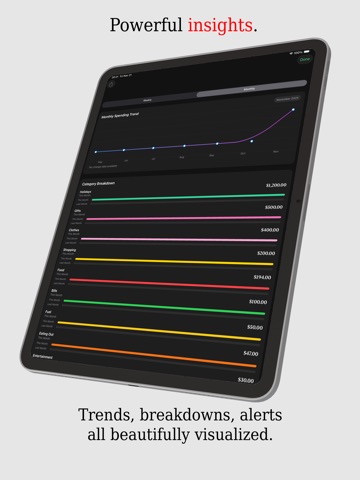
Master your money without the headache. WHY KNOX? Most finance apps are clunky spreadsheets in disguise. Knox is different. We use on-device intelligence to read your receipts, gamification to keep you on a streak, and secure iCloud sync to keep your data private. No bank credentials required, no selling your data—just pure financial clarity. KEY FEATURES: √ Fast entry Prefer manual entry? Our custom keypad and "Quick Pick" categories make logging expenses lightning fast. Need to make a change? Bulk edit and manage transactions with a smooth, native interface. √ Smart Receipt Scanner Scan receipts using VisionKit. Knox extracts line items, cleans noisy text, auto-detects categories, and lets you confirm everything before saving. √ Beautiful Insights Understand your money instantly with: - Today/Week/Month totals - Remaining budget & days left - Category breakdowns - Over-budget alerts - Smooth charts and weekly/monthly trend views √ Search Everything Find any transaction with fast search, category chips, date filters, highlighted matches, and swipe actions. √ Categories You Control Use default categories or create your own with emoji, colors, drag-and-drop ordering, and safe deletion. √ Motivating Achievements Celebrate progress with streaks, milestone badges, and playful goal stories that keep you consistent. √ Private & Secure Sync Your data belongs to you. - iCloud Sync: Seamlessly syncs across your devices using your private iCloud account. - Privacy First: No account sign-up required. We don’t see your data. - Data Export: Export your finances to CSV for Excel or Numbers anytime. √ Free-Tier Tracking Track daily expenses for free with clear remaining-expense counters. When you need more, unlock premium anytime. For Terms and Conditions, Privacy Terms, please visit: https://dreamscapecrafters.com/knox-terms-of-use/ https://dreamscapecrafters.com/knox-privacy-policy/
Latest release
What’s New
※ Receipt scanner now handles postal-code parsing correctly, so scans no longer fail and line items save reliably after capture. ※ Category list gained more built-in presets plus a dedicated management screen where you can create, edit, and reorder your own custom categories. ※ UI polish across onboarding, dashboards, paywall, and sheets keeps colors, backgrounds, and buttons aligned with the refreshed visual system.
Audience growth
Ratings growth
Baseline captured. Growth appears after the crawler observes a changed rating count.
Momentum comes from crawler snapshots for the tracked storefront. “Viral growth signal” means unusually fast recent rating gains; it is an indicator, not download data.
Price tracking
Price intelligence
First snapshot captured. The trend line starts after the next crawler price observation.
- First observed Aug 20, 2026 · 6:40 PM Free
Screenshots