About this app
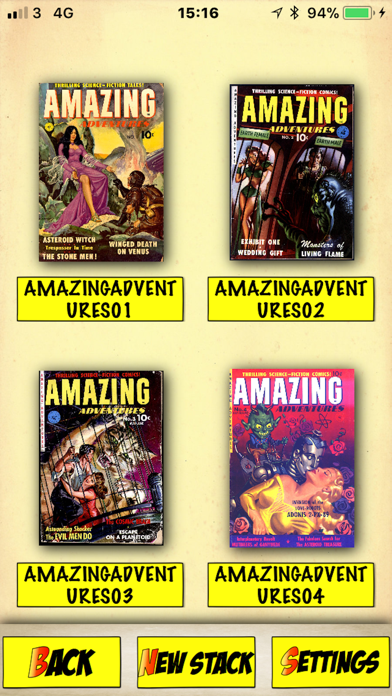
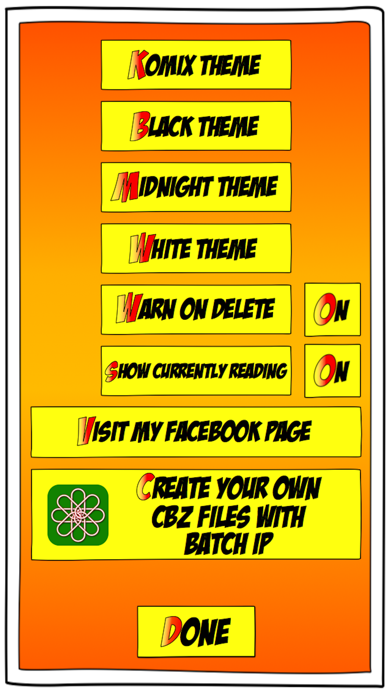
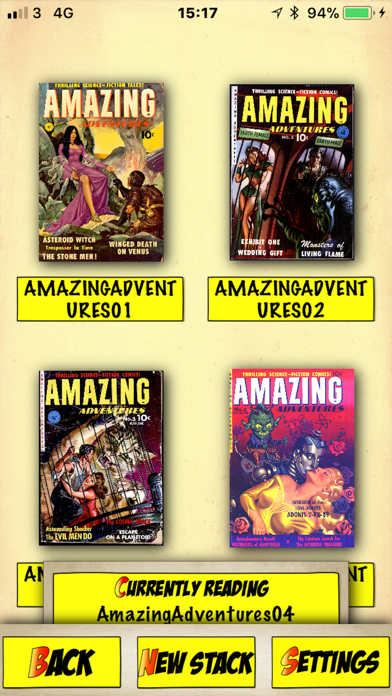
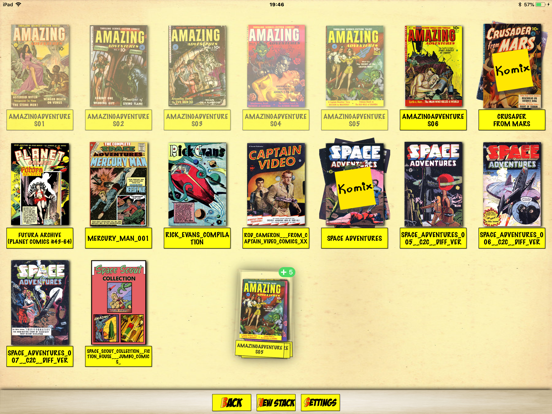
KomiX makes organising your comics as fun as reading them! Features - *See your collection as thumbnails, pinch to zoom making the thumbnails as large or small as you like. *Create “stacks” of comics, in which you can drag and drop sets of comics. *Create “stacks” within stacks, for example you can create a Spider-Man stack, and inside that create a stack for the Amazing Spider-Man, and a stack for the Spectacular Spider-Man, and so on! *Currently reading panel shows you the comic you were last reading so you can jump straight back into it with a tap! *In comic reading view if you tap in the center the HUD will appear, with a thumbnail of each page. You can tap a page to jump to it. *Reads most Comic Book files - cbz, cbr, pdf. *A trash can - drag and drop comics onto the trash can icon to delete them. *An exporter - drag and drop comics onto the exporter icon to package comics to send them to other devices. When comics are packed ready to send the icon will display the number of comics ready, just tap the icon to display the list of ready comics and then tap the export button. *A 'take out of stack' icon - drag comics you want to take out of their current stack and drop them on this icon. *Comic Database feature - can create a Database of all your comics in KomiX, all entries fully editable. You can even add your' physical copy' comics to the Database. The Database has great search features. *Persistent zoom - you can turn on persistent zoom in the settings, good if you use a smaller device (iPhone), and not an iPad to read your comics. *Edit pages - you can now rearrange pages, or delete unwanted or duplicate pages. Tip - you can easily drag more than one comic at a time - start a drag by touching a comic for a second until it 'pops out' then drag it across the screen - don't let go! Now you can tap other comics with a free finger - these will be added to the drag list. Now you can drag the comics to a stack, or the trash, or another App! I hope you enjoy the App! I am a huge fan of comics, so I made this App because I wanted features that other Comic Readers didn't have. Please let me know of any features you'd like via my FaceBook page (reachable in the App).
Latest release
What’s New
Bug fix - fixed a bug on iPhones where the App crashes on tapping the settings button. Please let me Know of any bugs, you can email me directly from within the App.
Audience growth
Ratings growth
Baseline captured. Growth appears after the crawler observes a changed rating count.
Momentum comes from crawler snapshots for the tracked storefront. “Viral growth signal” means unusually fast recent rating gains; it is an indicator, not download data.
Price tracking
Price intelligence
First snapshot captured. The trend line starts after the next crawler price observation.
- First observed Aug 24, 2026 · 11:30 PM $1.99
Screenshots