About this app
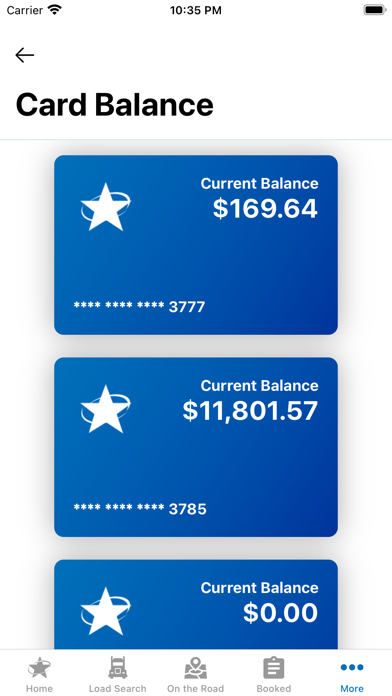
LandstarOne® is the one-stop mobile app for Landstar owner-operators and third-party carriers to access Landstar's available loads, fuel savings, card balances, inspection stations and more. Haul more with Load Search Quickly find the best loads for your business with our advanced load search and filtering options. Stay in the know with Load Details See important details for a load, including revenue, rate per mile, load dates and times, weight, miles, load age, load comments and more. Keep hauling with Fuel Search Find and save your favorite fuel stations, see Landstar fuel discounts, calculate your net fuel cost and more. Keep track of it with Booked Loads See current, upcoming, and past loads in one place. Additional features for Landstar BCOs: Do more with Trip Advance & Card Balance Request a Trip Advance and see your balance right in the app. Connect with Agent Search Quickly find and contact agents to ask questions, book loads and more. Locate Inspection Sites Find Landstar-approved inspection sites, view open hours and contact directly. SmartHook™ provides users and their mobile devices and personal computer devices support in tracking and managing of truck and trailer equipment and transportation logistics within the downloadable LandstarOne® App. Disclaimers: To become a BCO and join the Landstar network, visit leasetolandstar.com. To onboard as a qualified carrier visit https://onboard.dat.com/landstar. Please remember to be safe. Do not use the application while operating your vehicle.
Latest release
What’s New
• New: DEF discount now shown on fuel station cards • Fixed an error when downloading settlements • Fixed an error message that appeared when claiming a load with tractor capacity assigned • Fixed a login issue caused by a null value • Fixed an issue where the Booked tab failed to load data • Fixed an issue where pagination did not load new results • Fixed an issue where changing the search radius did not update results • Minor performance and stability improvements
Audience growth
Ratings growth
Baseline captured. Growth appears after the crawler observes a changed rating count.
Momentum comes from crawler snapshots for the tracked storefront. “Viral growth signal” means unusually fast recent rating gains; it is an indicator, not download data.
Price tracking
Price intelligence
First snapshot captured. The trend line starts after the next crawler price observation.
- First observed Aug 19, 2026 · 7:45 PM Free
Screenshots