About this app
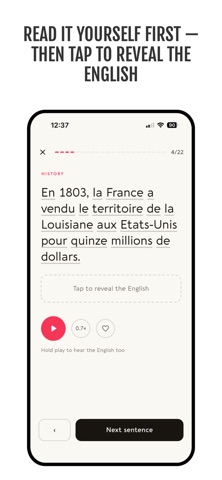
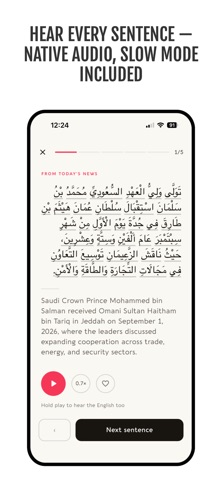
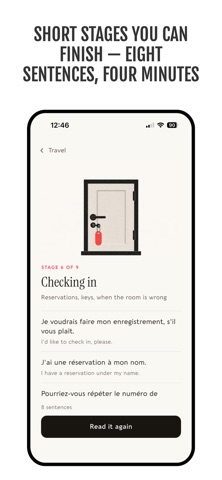
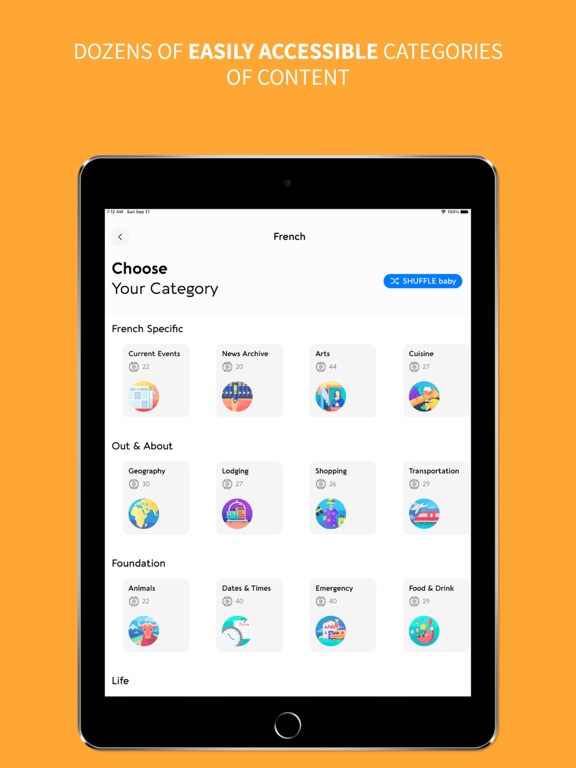
Language Dashboard takes a different approach to language learning. No flashcard drills. No streak mechanics. Just real sentences — one at a time — with the foreign text and English translation shown together so your brain makes the connection naturally. Pick from 9 languages: Arabic, Chinese, French, German, Italian, Japanese, Korean, Russian, and Spanish. Every sentence comes with native speaker audio at two speeds — normal and slow — plus a unique "Both" mode that plays the foreign audio followed by the English translation, so you can train your ear and your comprehension in a single listen. Content is organized into themed categories like Travel, Culture, Cuisine, History, and more — dozens of topics across every language. CURRENT EVENTS IN YOUR LANGUAGE Fresh news sentences are added regularly, written in the language you're studying. It's one of the best ways to build real-world vocabulary — and a reason to open the app every day. Past articles are saved in the Media Archive so you never miss a story. Turn on notifications to know the moment new content drops. A NEW SENTENCE EVERY DAY Snippet of the Day picks a sentence for you each morning from across all categories. You'll never see the same one twice until you've gone through them all. SEARCH ANY WORD Type a word in English or your target language and see every sentence where it appears. Context is the fastest way to learn vocabulary, and search puts the entire library at your fingertips. LEARN OFFLINE Download sentences with all audio files to practice without an internet connection. Great for commutes, flights, or anywhere Wi-Fi isn't an option. BUILT FOR REAL LEARNERS - Native speaker audio at normal and slow speeds - "Both" mode pairs foreign + English audio sequentially - Full right-to-left support for Arabic - Dark mode - Works beautifully on both iPhone and iPad Free. All 9 languages. No subscriptions, no ads, no upsells. Just a well-made tool for people who want to learn.
Latest release
What’s New
Fixes a bug where tapping Saved on the Me tab could stop responding. Thanks for reading with us every day!
Audience growth
Ratings growth
Baseline captured. Growth appears after the crawler observes a changed rating count.
Momentum comes from crawler snapshots for the tracked storefront. “Viral growth signal” means unusually fast recent rating gains; it is an indicator, not download data.
Price tracking
Price intelligence
First snapshot captured. The trend line starts after the next crawler price observation.
- First observed Sep 20, 2026 · 9:49 PM Free
Screenshots