About this app
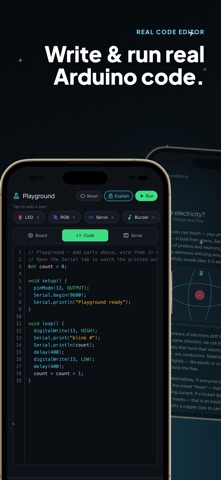
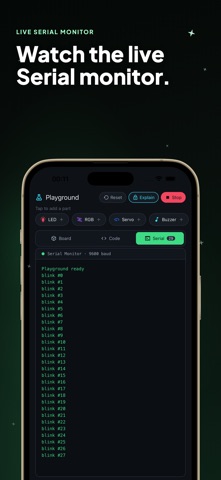
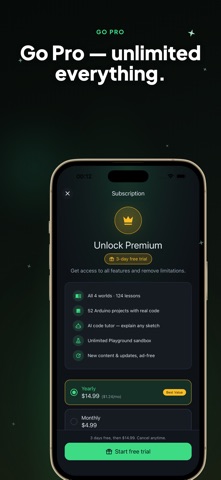
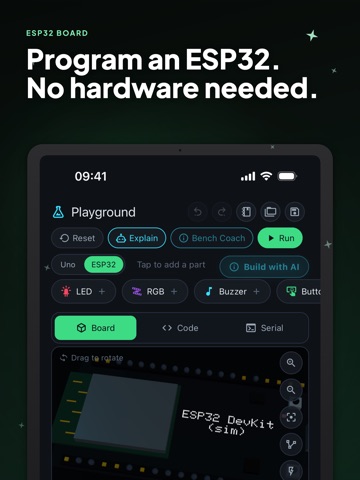
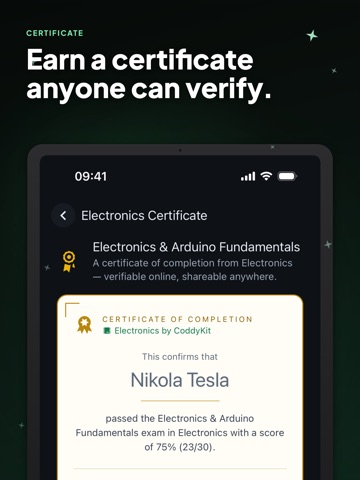
Learn Electronics & Arduino takes you from absolute zero to building real Arduino, ESP32 and Raspberry Pi projects: no prior experience and no hardware required. It is electronics for beginners that keeps going long after the basics: try every idea before you buy an Arduino starter kit, or practice with the kit you already have. Everything runs on your phone. Write real Arduino sketches in the built-in code editor and watch them run on an interactive 3D board that reacts live: blink LEDs, read sensors, drive servos and motors, and play tones, all simulated on-device. WHAT YOU GET • Step-by-step lessons that start with basic electronics and grow into complete Arduino projects • Hands-on labs, each with a guided task and a model solution • A built-in Arduino simulator that runs your code instantly: no compiler, no cables • An interactive 3D board you can rotate and explore • A circuit builder Playground to wire up components and experiment • Clear diagrams, quizzes and tips that explain the "why", not just the "how" CIRCUIT SIMULATOR AND PLAYGROUND Drag parts onto a virtual breadboard, wire them up and press Run. Resistors, LEDs, buttons, potentiometers, sensors, servos and motors behave the way they would on your desk, and a wiring check and power budget point out mistakes as you build. ESP32 AND RASPBERRY PI Switch the Playground to an ESP32 board (Pro), shown in 3D with its own pins, PWM, analog inputs, touch and a simulated radio. Or open the Pi Playground: an empty Raspberry Pi that is all yours. Wire parts, write Python, and find your build saved next time. LEARN BY DOING Start with electrons, voltage, current and Ohm's law. Build up through resistors, capacitors, LEDs, breadboards and series and parallel circuits. Then move into the microcontroller: digitalWrite, analogRead, PWM, serial, sensors, servos, motors and encoders. Keep going with IoT, screens and I²C, logic gates and digital electronics, and soldering. TOPICS YOU WILL COVER • Basic electronics: voltage, current, resistance, Ohm's law, voltage dividers, series and parallel circuits • Components: resistors, capacitors, diodes, LEDs and RGB LEDs, transistors, MOSFETs, relays and buzzers • Measuring: how to read a circuit with a multimeter and find what is wrong • Arduino programming: digital and analog pins, PWM, timing, the serial monitor and debugging • Sensors and input: buttons, potentiometers, joysticks, ultrasonic distance and temperature sensors • Motion: servos, DC motors with an H-bridge, stepper motors and encoders • Displays and buses: LCD screens and I²C • Digital electronics: logic gates and how a microcontroller makes decisions • Making it real: breadboard layout, power, and soldering basics PROJECTS, CHALLENGES AND THE FAULT BENCH Follow story projects that turn lessons into things you would actually build, take on daily challenges, and track down broken circuits on the Fault Bench, the fastest way to learn how to debug. SHARE WITH OTHER MAKERS Share the circuits you build, open circuits other makers made, press Run and make them yours. CERTIFICATE (PRO) Pass the exam and earn a certificate anyone can verify with a link, ready for your CV or LinkedIn. FOR EVERYONE Whether you are a complete beginner, a hobbyist, an electrical engineering or physics student, a teacher looking for a hands-on classroom tool, or a maker brushing up the fundamentals, the lessons meet you where you are and grow with you. 10 LANGUAGES Available in English, Turkish, German, Spanish, French, Japanese, Korean, Portuguese, Russian and Chinese. Learn Electronics & Arduino Pro unlocks every world, lab and the ESP32 board. Subscriptions renew automatically unless cancelled at least 24 hours before the end of the period; manage or cancel anytime in your App Store account settings. Terms of Use (EULA): https://www.apple.com/legal/internet-services/itunes/dev/stdeula/ Privacy Policy: https://coddykit.com/terms/privacy-policy
Latest release
What’s New
• Pi projects now have a Solution button: one tap puts back the working circuit and code. • Pi lessons now follow the language you choose in Settings. • Playground: the parts bar and the 3D board now fit every screen. • Smaller fixes and improvements.
Audience growth
Ratings growth
Momentum comes from crawler snapshots for the tracked storefront. “Viral growth signal” means unusually fast recent rating gains; it is an indicator, not download data.
Price tracking
Price intelligence
- First observed Aug 6, 2026 · 2:17 PM Free
Screenshots