About this app
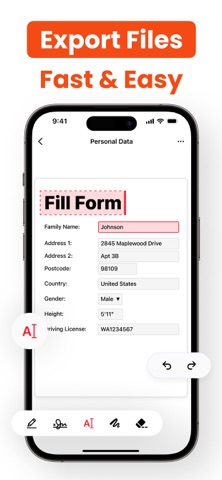
PDF Lens Editor: The All-in-One PDF Solution Transform the way you work with PDF files. Our app gives you everything you need to read, edit, convert, and organize your documents - all in one powerful, easy-to-use app. Whether you’re managing work files, study materials, or personal forms, this toolkit makes your PDF workflow fast, flexible, and secure. Comprehensive File Management Access every essential PDF tool in one place. Merge, split, compress, rotate, convert, unlock, and watermark your documents in seconds. Intuitive PDF Editor Add or modify text, shapes, and highlights directly on your PDFs. Insert comments, notes, or drawings to bring your ideas to life. Whether you’re reviewing business contracts, school notes, or creative projects, editing is simple and secure. Efficient Document Organization Manage your files like a pro - create folders, rename files, and arrange your library neatly. Use bookmarks and quick search to jump straight to what you need. Advanced Productivity Features • Fill and sign PDF forms digitally • Add secure electronic signatures • Protect files with encryption and passwords • Create professional resumes or invoices directly in the app Merge multiple PDFs, split large files, or compress for easy sharing - all with just a few taps. Experience a smarter, faster way to work with documents. Download Our App today and unlock the full potential of your PDF files! Subscription Terms & Details Enjoy unlimited access to all premium features, including a 3-day trial. Payment is charged to your iTunes account upon confirmation of purchase. Your plan renews automatically unless auto-renew is disabled at least 24 hours before renewal. Manage or cancel your subscription anytime from your Account Settings. Privacy Policy - https://docs.google.com/document/d/1qDAM_UXFff9j0r3mR6Emu38c1YGXiCl0hCHrBJ4eddo/edit?tab=t.0 Terms Of Use - https://docs.google.com/document/d/1qDAM_UXFff9j0r3mR6Emu38c1YGXiCl0hCHrBJ4eddo/edit?tab=t.0
Latest release
What’s New
Bug fixes and performance improvements
Audience growth
Ratings growth
Baseline captured. Growth appears after the crawler observes a changed rating count.
Momentum comes from crawler snapshots for the tracked storefront. “Viral growth signal” means unusually fast recent rating gains; it is an indicator, not download data.
Price tracking
Price intelligence
First snapshot captured. The trend line starts after the next crawler price observation.
- First observed Sep 4, 2026 · 7:30 AM Free
Screenshots