About this app
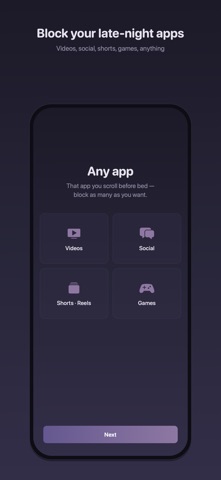
Let Me Sleep automatically blocks the apps you choose, during the sleep hours you set. If you tend to stay up scrolling in bed, the system steps in so you don't have to rely on willpower. How to use it 1. Set your block window, for example 11 PM to 7 AM. You can pick days of the week too. 2. Choose the apps to block. 3. That's it. Blocking starts automatically at your chosen time. Features - Scheduled block: turns on automatically at the time and days you set. - Block now: start an instant block, from 15 minutes up to 4 hours. - Shield screen: opening a blocked app shows a calm rest-time screen instead. - Once a block starts, it stays on until the end time. It can't be turned off midway. How it works Built on Apple's Screen Time technology (Family Controls). Blocking is enforced by iOS at the system level, so it keeps working even when this app is closed. Privacy - No account, no server. All settings stay on your device. - No data collection. No ads. Pricing - Free: 1 block schedule, 1 blocked app - Premium: unlimited blocked apps and category blocking. Not a subscription. One purchase, yours to keep. FAQ Q. What happens if I open a blocked app? A. A shield screen appears instead, and the app can't be used until the block ends. Q. Are calls and alarms blocked too? A. No. Only the apps you select are blocked. Phone, messages, and alarms work as usual. Q. Why does the app need Screen Time permission? A. iOS requires the Screen Time (Family Controls) permission to block apps. It is used only for blocking. Q. Do you collect usage data? A. No. Nothing leaves your device. Support: developer.nmthnam@gmail.com Privacy policy: https://nmthnama.github.io/let-me-sleep-site/
Audience growth
Ratings growth
Baseline captured. Growth appears after the crawler observes a changed rating count.
Momentum comes from crawler snapshots for the tracked storefront. “Viral growth signal” means unusually fast recent rating gains; it is an indicator, not download data.
Price tracking
Price intelligence
First snapshot captured. The trend line starts after the next crawler price observation.
- First observed Aug 24, 2026 · 1:39 AM Free
Screenshots