About this app
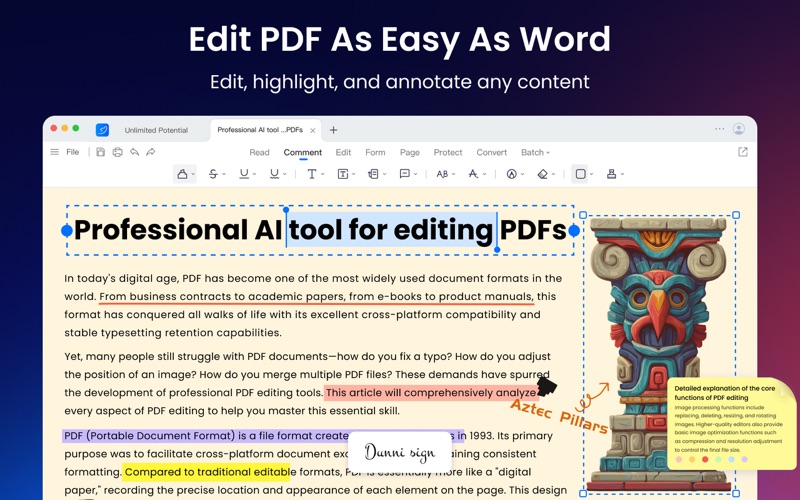
LightPDF is a powerful all-in-one AI PDF editor designed for Mac. It helps you read, edit, convert, organize, and secure PDFs in one intuitive workspace. With advanced AI tools, you can easily extract, summarize, chat with, and analyze documents to boost productivity. Whether you’re editing reports, preparing contracts, managing study notes, or reviewing research papers, LightPDF makes working with PDFs easy for you. What LightPDF Can Do: All-in-One PDF Editor and Reader - Edit text, images, tables, and forms directly in your PDF - Highlight, annotate, and add notes with ease - Add bookmarks, shapes, and signatures for better reading and collaboration - Enjoy smooth reading mode with customizable layouts Smart PDF AI Assistant - Chat with your PDFs and get instant, cited answers - Automatically analyse and summarize long reports or articles - Extract key points or generate mindmaps and insights from documents - Translate PDFs into multiple languages - Remove watermarks seamlessly without traces Versatile PDF Converter - Convert PDFs to/from Word, Excel, PowerPoint, HTML, TXT, ODF, CAJ, EPUB, and image formats - Turn documents, images, and web pages into PDFs with one click - Preserve original formatting with advanced OCR - Batch convert multiple files for higher efficiency Organize PDF Pages Easily - Merge, split, rotate, and delete PDF pages effortlessly - Erase confidential or sensitive information securely - Redact sensitive and private data without recovering - Reorder and organize pages to create documents as you wish Protect and eSign PDFs - Add passwords to protect confidential PDFs - Insert digital signatures and timestamps - Apply custom watermarks to maintain brand identity OCR & File Recognition - Recognize text from scanned PDFs and images - Convert scanned files into editable Word, Excel, PowerPoint, PDF, and TXT formats - Support multi-language recognition with high accuracy More Productivity Tools - Process and print multiple files in batches - Store and sync documents securely in the cloud - Stay connected to your documents anywhere with the same account LightPDF gives you everything you need to handle PDFs with speed, intelligence, and style — no switching between multiple tools. ---------------------------------------------------------------- Need help or want to share feedback? We’re always improving, and your ideas matter. Email: support@lightpdf.com Customer Service: https://lightpdf.com/contact FAQ: https://lightpdf.com/faqs/lightpdf-editor-faq Privacy Policy: https://lightpdf.com/privacy Terms of Service: https://lightpdf.com/terms
Latest release
What’s New
This update adds PDF area selection, allowing you to copy a selected area as an image, erase it, highlight it, and use AI to recognize text, tables, and formulas. AI recognition preview and export have been improved for more stable result export. You can now remove all links from a PDF with one click. We also fixed issues with scanned document text-layer hover behavior, OCR text selection display, AI table recognition, HTML to PDF conversion, login, and cloud service access, and improved multilingual text, dialog styles, and the area-selection menu experience.
Audience growth
Ratings growth
Baseline captured. Growth appears after the crawler observes a changed rating count.
Momentum comes from crawler snapshots for the tracked storefront. “Viral growth signal” means unusually fast recent rating gains; it is an indicator, not download data.
Price tracking
Price intelligence
First snapshot captured. The trend line starts after the next crawler price observation.
- First observed Aug 8, 2026 · 1:56 AM Free
Screenshots