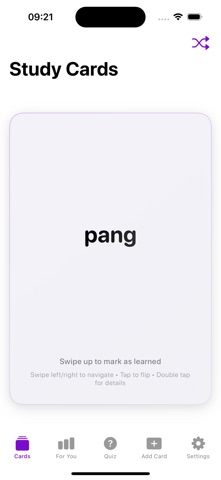
About this app
What is LingoDeck? LingoDeck is a versatile flashcard app designed to help you learn and practice vocabulary in any language. Simply add the words you want to learn—whether they’re in English, Spanish, French, or beyond—and instantly get translations in your native language. With real-life examples, meaningful notes, and smart repetition, learning becomes a fun, personalized experience. Key Features Customizable Word Lists Add words from the language you’re studying, organize them by topic or difficulty, and review anytime. Instant Translation & Usage Examples Each flashcard includes quick translations and example sentences to boost your understanding. Smart Reminders & Spaced Repetition Harness the power of scientifically proven review intervals to lock new words into your memory. Interactive Quizzes & Games Practice with various quiz types—multiple choice, fill-in-the-blank, matching—so learning never gets dull. Progress Tracking & Insights Stay motivated with daily or weekly goals, earn achievement badges, and chart your improvements over time. Why Choose LingoDeck? Multi-Language Support: Learn vocabulary for any language you want, from English to Spanish, French, German, Japanese, and more. User-Friendly Design: Navigate effortlessly, add new words in seconds, and access flashcards from a clean, intuitive dashboard. Offline Access: Review your flashcards without internet, so you can study on the go. Always Updating: Enjoy regular updates with fresh features and improved content to keep your learning journey engaging. Who is LingoDeck For? Learners starting a new language from scratch Students or professionals expanding vocabulary for academic or career goals Travelers needing quick, on-the-go language essentials Anyone preparing for language proficiency exams in various languages (e.g., IELTS, TOEFL, DELF, JLPT, etc.) Extra Tips & Support Organize your word lists according to your personal objectives—focus on travel phrases, business terminology, or everyday slang. Use notifications to remind you of quick study breaks, perfect for busy schedules. For questions or suggestions, reach us at support@lingodeck.ai. Download LingoDeck now and grow your vocabulary in any language! With our fun and effective flashcards, new words will become part of your permanent repertoire.
Latest release
What’s New
Quiz hard mode added
Audience growth
Ratings growth
Baseline captured. Growth appears after the crawler observes a changed rating count.
Momentum comes from crawler snapshots for the tracked storefront. “Viral growth signal” means unusually fast recent rating gains; it is an indicator, not download data.
Price tracking
Price intelligence
First snapshot captured. The trend line starts after the next crawler price observation.
- First observed Sep 4, 2026 · 2:30 AM Free
Screenshots