About this app
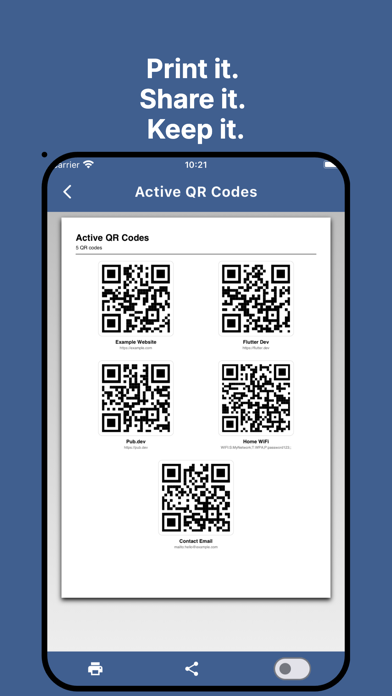
QR Flow turns QR code management into a smooth, satisfying workflow. Whether you're handling event check-ins, inventory labels, links, or any list of QR codes — QR Flow keeps you organized from creation to completion. Build Your Queue Add QR codes with a title, URL, and optional notes. Your active queue displays each code in a clean card view — swipe through, scan what you need, and move on. Mark as Done Finished with a code? Tap Mark Done and it moves to your completed archive. Changed your mind? Restore it to the active queue with a single tap. Track Your Progress A live progress bar and item counter keep you focused. You always know how many codes are left and how far you've come. Export to PDF Generate a clean, print-ready PDF of your active codes, completed codes, or everything at once. Perfect for sharing, printing, or archiving. Simple. Focused. Yours. No accounts. No subscriptions. Just a fast, lightweight tool that keeps your QR workflow moving.
Latest release
What’s New
1. Live camera scanner — The scan tab currently only reads from the photo gallery. A real-time camera viewfinder would be the most-expected feature for a QR app. 2. Fullscreen + brightness boost — When presenting a QR for someone else to scan, a fullscreen mode that maximizes screen brightness makes it much easier to scan in person. 3. Save QR as image — Let users long-press or tap a button to save the QR code to their camera roll (as PNG). Currently only PDF export exists. 4. More QR types — Right now only URLs are supported. Adding WiFi credentials, plain text, vCard/contact, and geo-location would broaden the use case significantly. 5. Search / filter — Once the queue gets long, finding a specific item by title or URL is impossible without scrolling. 6. Drag-to-reorder — Let users manually set the order of items in the active queue (currently fixed). 7. Categories / tags — Group QR codes (e.g., "Events", "Work", "Products") for faster navigation and filtered export. 8. Share extension — Register as a share target so users can send a URL from Safari/Chrome directly into QR Flow without copy-pasting.
Audience growth
Ratings growth
Baseline captured. Growth appears after the crawler observes a changed rating count.
Momentum comes from crawler snapshots for the tracked storefront. “Viral growth signal” means unusually fast recent rating gains; it is an indicator, not download data.
Price tracking
Price intelligence
First snapshot captured. The trend line starts after the next crawler price observation.
- First observed Aug 17, 2026 · 11:05 PM Free
Screenshots