About this app
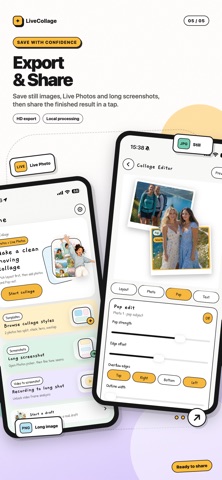
Make more than a static collage. Picture Collage: Live Photo brings photos and Live Photos together in layouts that keep the moment moving. Create with 1 to 8 photos, mix still images with Live Photos, make subjects break beyond the frame, and save your creation back to Photos. CREATE COLLAGES YOUR WAY - Choose flexible layouts for 1 to 8 photos. - Adjust spacing, rounded corners, canvas ratios, backgrounds, and more. - Mirror, flip, replace, and reposition individual photos. - Add captions, quotes, and photo details. KEEP LIVE PHOTOS MOVING - Mix regular photos and Live Photos in the same collage. - Preview the motion before saving. - Export supported creations as new Live Photos. - Keep still photos steady while Live Photo moments move. MAKE SUBJECTS POP - Lift people, pets, and objects beyond the collage frame. - Adjust scale, depth, direction, and placement. - Carry the pop-out effect into supported Live Photo exports. STITCH SCREENSHOTS - Select multiple screenshots and drag to reorder them. - Automatically detect overlapping content. - Fine-tune the top and bottom crop of each screenshot. - Export everything as one clean long image. PRIVATE BY DESIGN Your media is processed locally on your iPhone. No account is required, and your photos, Live Photos, screenshots, and exported creations are not uploaded to our servers. SUBSCRIPTIONS Some advanced features require a Pro subscription. Payment is charged to your Apple Account when the purchase is confirmed. Subscriptions automatically renew unless canceled at least 24 hours before the end of the current period. Your account is charged for renewal within 24 hours before the current period ends. You can manage or cancel your subscription in your App Store account settings. Terms of Use: https://www.aivoxx.com/live/terms-of-use.html Privacy Policy: https://www.aivoxx.com/live/privacy-policy.html
Audience growth
Ratings growth
Baseline captured. Growth appears after the crawler observes a changed rating count.
Momentum comes from crawler snapshots for the tracked storefront. “Viral growth signal” means unusually fast recent rating gains; it is an indicator, not download data.
Price tracking
Price intelligence
First snapshot captured. The trend line starts after the next crawler price observation.
- First observed Aug 7, 2026 · 8:57 PM Free
Screenshots