About this app
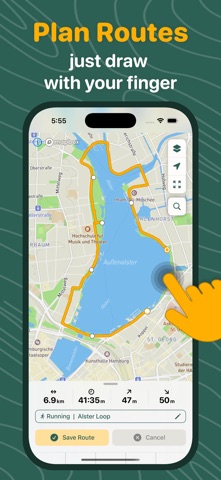
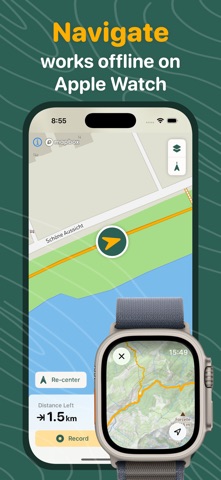
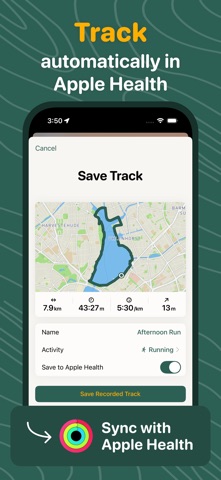
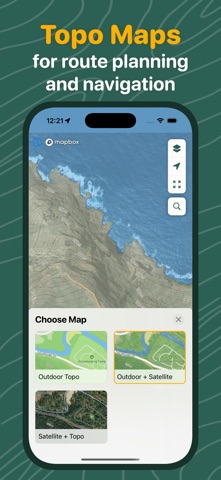
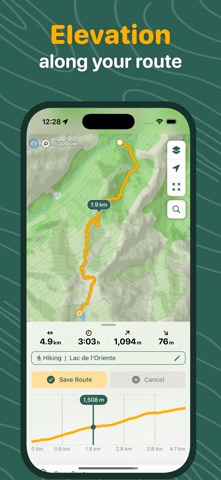
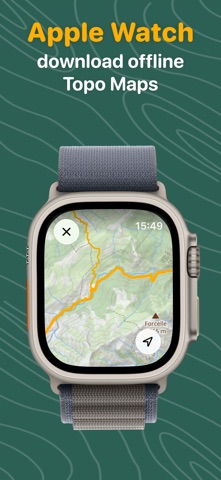
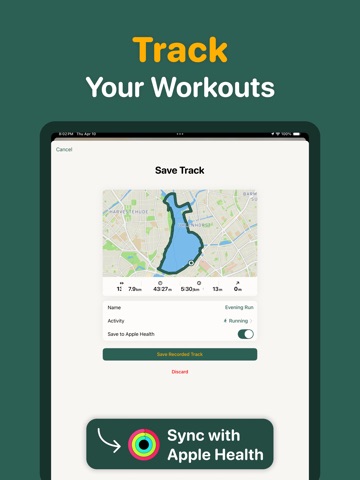
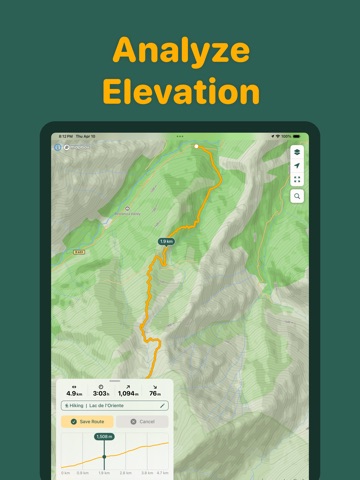
Plan, navigate & track your outdoor routes – on your iPhone and Apple Watch, even offline. Whether you're hiking, cycling, running, or exploring new trails, Loop makes it simple to map, track, and navigate your adventures. Plan routes by tapping and dragging directly on the map, follow turn-by-turn navigation on your iPhone or Apple Watch – fully offline – and sync your data to Apple Health. With detailed elevation profiles, GPS tracking, and GPX import/export, Loop is your all-in-one companion for every outdoor journey. PLAN ROUTES WITH EASE Map your routes effortlessly by tapping and dragging your finger on the map. Loop helps you create custom routes based on your preferences. VIEW ELEVATION PROFILES Loop provides clear elevation profiles along your routes, helping you assess the difficulty and terrain of your journey. NAVIGATE AS YOU GO Once your route is set, Loop guides you with a clean, distraction-free navigation interface showing your position, direction, and distance remaining – so you can focus on the trail, not the screen. NAVIGATE ON APPLE WATCH – EVEN OFFLINE Leave your phone behind. Download your routes and topographic maps to your Apple Watch and follow turn-by-turn navigation right from your wrist – no phone, no signal required. Perfect for trail running, hiking, and cycling where you don't want to carry your phone or can't rely on cellular coverage. TRACK YOUR ROUTES AND SYNC WITH APPLE HEALTH Loop records your GPS data in real-time, showing distance, elevation, and average speed. It syncs seamlessly with Apple Health to keep track of your fitness data. Save recorded routes in Apple Health to monitor your performance, view detailed stats, and track your route history – all from one place. EXPLORE WITH TOPOGRAPHIC MAPS Choose from different topographic map styles to suit your adventure. Whether you're navigating steep mountain trails or flat park paths, Loop’s detailed maps help you understand the terrain better, so you can plan your routes confidently. SAVE AND SHARE YOUR ROUTES Loop lets you save unlimited routes and GPS tracks, so you can easily plan your next adventure. You can also share your custom routes with friends or workout partners, making it easy to collaborate on your next outdoor activity. EXPORT AND IMPORT GPX FILES Seamlessly import and export your routes as GPX files – perfect for sharing with others or moving routes to and from third-party GPS devices and apps. ——— You can use the app free of charge forever. Some functionality can be activated by purchasing the “Pro” version. ——— Terms of Service: https://oriberlin.notion.site/loopmaps-terms Privacy Policy: https://oriberlin.notion.site/loopmaps-privacy Contact: support@loopmaps.com
Latest release
What’s New
Turn-by-turn navigation is here! – Step-by-step directions throughout route navigation – Voice guidance announces your turns out loud
Audience growth
Ratings growth
Baseline captured. Growth appears after the crawler observes a changed rating count.
Momentum comes from crawler snapshots for the tracked storefront. “Viral growth signal” means unusually fast recent rating gains; it is an indicator, not download data.
Price tracking
Price intelligence
First snapshot captured. The trend line starts after the next crawler price observation.
- First observed Sep 11, 2026 · 4:54 AM Free
Screenshots