About this app
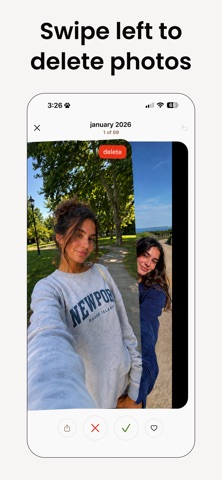
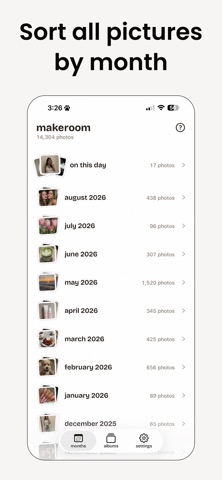
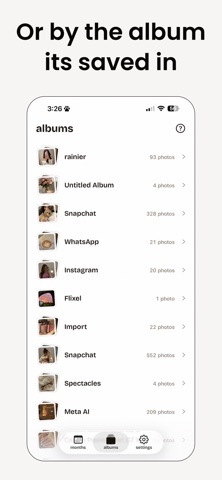
Running out of storage? Time to make room. MakeRoom turns the chore of cleaning your camera roll into something you'll actually enjoy. Swipe through your photos one at a time. left to delete, right to keep, and watch the gigabytes come back. No digging through settings, no tedious multi-select. Just fast, satisfying cleanup. Why MakeRoom works: Swipe to clean. One photo at a time, one simple gesture. Left deletes, right keeps. It's so quick you'll clear hundreds of photos before you know it. Free up real storage. See exactly how much space you're reclaiming as you go. Delete the junk and make room for what matters. Sort by month. Tackle your library in bite-sized chunks instead of facing thousands of photos at once. A few minutes a day is all it takes. Catch the clutter. Quickly clear out old screenshots, blurry shots, and near-identical duplicates that quietly eat your storage. Nothing is lost by accident. Deleted photos go to a review pile first, so you can undo before anything is gone for good. Clean with confidence. Works with your Photos app. Changes sync straight to your iPhone library and iCloud, no separate gallery to manage. Your camera roll should hold your favorite memories, not 47 screenshots of a Wi-Fi password. Whether your storage is full or your library is just overwhelming, MakeRoom gets you back in control a swipe at a time. Download MakeRoom and see how much space you've been sitting on Terms of Use (EULA): https://www.apple.com/legal/internet-services/itunes/dev/stdeula/
Latest release
What’s New
Bug Fixes & Improvements
Audience growth
Ratings growth
Baseline captured. Growth appears after the crawler observes a changed rating count.
Momentum comes from crawler snapshots for the tracked storefront. “Viral growth signal” means unusually fast recent rating gains; it is an indicator, not download data.
Price tracking
Price intelligence
First snapshot captured. The trend line starts after the next crawler price observation.
- First observed Oct 14, 2026 · 5:24 AM Free
Screenshots