About this app
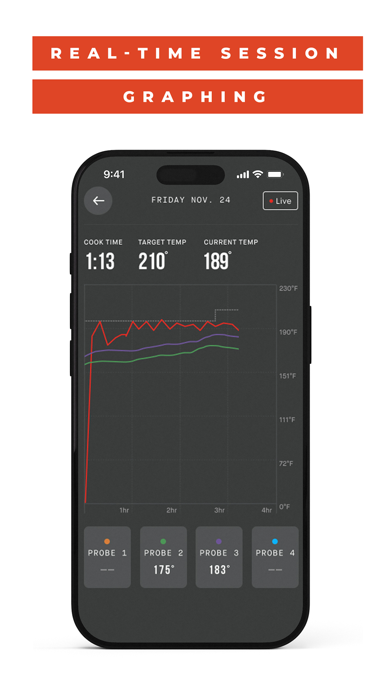
Control your Masterbuilt Gravity Series®, AutoIgnite™ Series, and WiFi Smokers with our improved mobile app for a seamless grilling experience. Made for the modern grill master, you easily control your cooks with the power in the palm of your hand. Set and adjust temperature and time, monitor meat probes, view cooking history, discover hundreds of recipes, and take outdoor grilling to the next level. Features: Control Multiple Devices – Sync multiple Masterbuilt grills or smokers to the app for a digitally-driven outdoor cooking experience. Set Time and Temperature – Easily set your product’s desired cooking time and temperature. Notifications and Alerts—Receive alerts and notifications to help power on/off the grill, notify you when your meat probe has reached the desired temperature, and more. Interactive Cooking Graphs – Scroll through temperature graphs as you cook to stay on top of your game. Cooking History – Easily compare and interact with your past cooking adventures with a new session history feature. Recipe Library – Discover hundreds of new recipes and filter by food type, cooking style, or cook time. Product Compatibility – The Masterbuilt App is compatible with all Gravity Series Grills & Smokers, the AutoIgnite Series 545 Digital Charcoal Grill, and the 710 WiFi Digital Electric Smoker. Compatible products: Gravity Series 560 Grill & Smoker (MB20040220) Gravity Series 600 Grill & Smoker (MB20041023) Gravity Series 800 Grill & Smoker (MB20040221) Gravity Series 900 Grill & Smoker (MB20040122) Gravity Series 1050 Grill & Smoker (MB20041220) Gravity Series 1150 Grill & Smoker ( MB20041525) Gravity Series XT Grill & Smoker (MB20041223) 40” Digital Charcoal Smoker (MB20060321) AutoIgnite Series 545 Digital Charcoal Grill & Smoker (MB20041124) 710 WiFi Digital Electric Smoker (MB20070924) 710 WiFi Digital Electric Smoker EU (MB20072024, MB20072124, MB20072224)
Latest release
What’s New
New: Landscape and tablet support The app now adapts to landscape orientation and larger screens, giving tablets a layout built for the extra space instead of a stretched phone view. Security fixes and updates Support for the latest OS updates General bug fixes and performance improvements
Audience growth
Ratings growth
Baseline captured. Growth appears after the crawler observes a changed rating count.
Momentum comes from crawler snapshots for the tracked storefront. “Viral growth signal” means unusually fast recent rating gains; it is an indicator, not download data.
Price tracking
Price intelligence
First snapshot captured. The trend line starts after the next crawler price observation.
- First observed Aug 19, 2026 · 7:39 PM Free
Screenshots