About this app
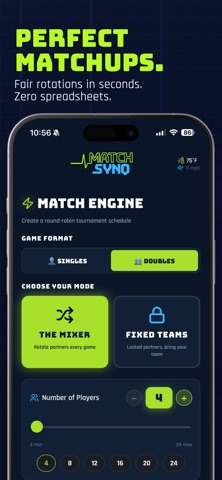
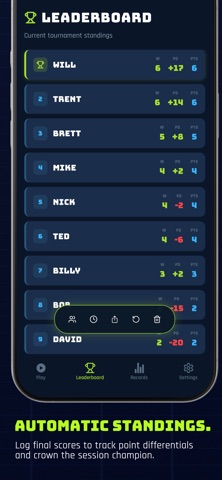
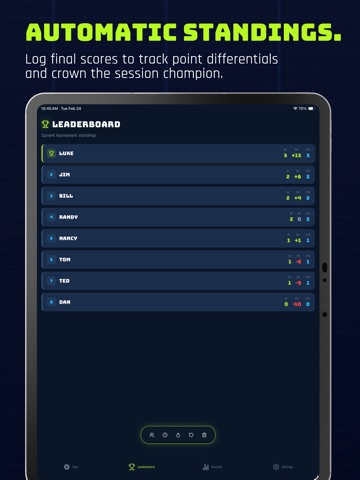
Stop doing sideline math. Fair pickleball rotations – every time. No repeats. No drama. MatchSynq is the smartest way to run pickleball sessions for groups of 4 to 24 players. Whether you’re hosting open play, a league night, or a backyard tournament, MatchSynq creates perfectly fair, beautifully organized rotations in seconds so you can drop the clipboard and get back to the kitchen line. Built with a professional-grade scheduling engine, MatchSynq guarantees: • Fair Playtime: Nobody sits twice in a row. • Skill-Balanced Courts: Built-in rating guards prevent massive skill mismatches, keeping games competitive for everyone from 3.0 to 5.0. • Partner Variety: Automatically rotate through new teammates without immediate repeats. • Mid-Session Edits: Add or drop players on the fly without breaking the math. THE MATCHSYNQ ENGINE This is way more advanced than a simple randomizer. Our algorithm evaluates every possible match combination to maximize playtime fairness, space out wait times, and prevent cliques. It handles the dreaded "7-player rotation" flawlessly. RSVP & EVENT MODE Plan your night before you reach the courts. Send an RSVP link directly to your group, track "Going" and "Maybe" statuses, and import your final roster with one tap. Zero typing required on the court. LIVE SCORING & HISTORY Enter scores live, track point differentials, and crown the session King and Spoon. Every match is permanently logged in your Session Recap so you always have the receipts. Download MatchSynq today and elevate your pickleball nights. No more spreadsheets. No more chaos. Just great games. (Note: Free tier supports up to 12 players and 2 courts. Unlock Premium for larger groups and advanced features.) LEGAL Terms of Service (EULA): https://www.apple.com/legal/internet-services/itunes/dev/stdeula/ Privacy Policy: https://matchsynq.com/support
Latest release
What’s New
This update includes minor UI refinements and a naming optimization to provide a cleaner on-court experience. We've also improved stability for smoother session scheduling.
Audience growth
Ratings growth
Baseline captured. Growth appears after the crawler observes a changed rating count.
Momentum comes from crawler snapshots for the tracked storefront. “Viral growth signal” means unusually fast recent rating gains; it is an indicator, not download data.
Price tracking
Price intelligence
First snapshot captured. The trend line starts after the next crawler price observation.
- First observed Sep 1, 2026 · 2:56 PM Free
Screenshots