About this app
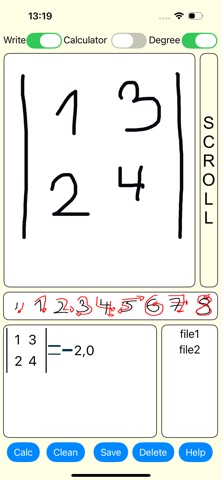
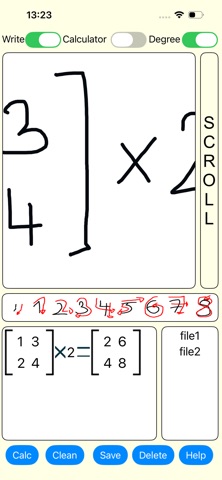
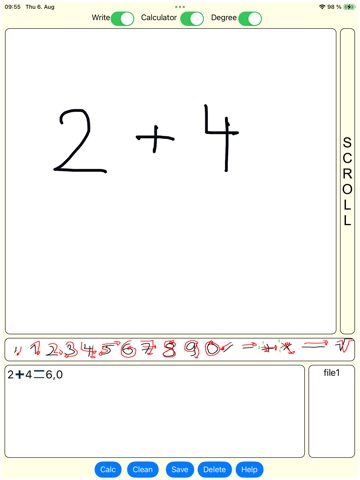
This is a math application. Quickly find the answer: in calculations (for example, find the angle COS), in combinatorics (for example, calculate the variation or combination), perform operations with matrices (for example, multiply a matrix by a number), calculate the determinant (for example, find the solution of a second-order matrix), find the derivative and calculate the integral, and solve fractions. If you want to save the solution, to capture the solution, press the “Save” button. And if you want to see the saved solution, press the file name in the Files window. If you want to delete all saves, press the “Delete” button. Then, if you want to clean the screen, press the “Clean” button. When the “Calculation” switch button is on, simple calculations, addition, subtraction, multiplication and division are performed. Then you can also use powers and square roots. If the “Calculation” switch button is not on, you will calculate combinatorics, matrix operations, determinant calculation, derivative and integral calculation, and fraction calculation. If the “Degree” switch button is on, you will calculate Degree in trigonometry, and if it is not on, you will calculate Radian. If you want to scroll the screen, press the “Scroll” switch button. If you want to delete a letter, turn off the "Write" switch and move your finger or stylus over the letter. And to calculate the solution, press the “Calculate” button. You can draw numbers and characters on the screen with a pen or your finger. The application includes functions that you can calculate: 1. SIN 2. COS 3. TAN 4. COT 5. ARCSIN 6. ARCCOS 7. ARCTAN 8. ARCCOT 9. LOG 10. LN Without the upgrade, you can only calculate. The upgrade allows you to use other calculation functions. For example, combinatorics, matrix operations, determinant calculation, fraction calculation, derivative and integral calculation.
Latest release
What’s New
Bug fixes. Graphics changed. Adding a paid version.
Audience growth
Ratings growth
Baseline captured. Growth appears after the crawler observes a changed rating count.
Momentum comes from crawler snapshots for the tracked storefront. “Viral growth signal” means unusually fast recent rating gains; it is an indicator, not download data.
Price tracking
Price intelligence
First snapshot captured. The trend line starts after the next crawler price observation.
- First observed Aug 13, 2026 · 12:00 AM Free
Screenshots