About this app
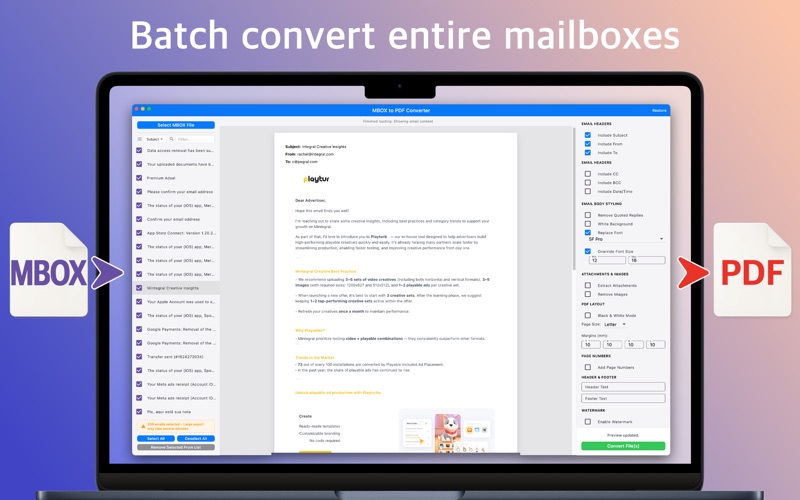
MBOX to PDF Converter is the professional solution for converting email archives into polished PDF documents. Built specifically for macOS users who need to preserve, share, or archive important email communications with complete control over formatting and presentation. Perfect for legal documentation, compliance archiving, business records, and personal email preservation. Convert emails from Apple Mail, Thunderbird, Gmail Takeout, and other MBOX-compatible email clients into professionally formatted PDFs. Key Features: • Smart Processing: Handle massive mailbox files with our streaming technology. Multi-gigabyte archives are processed progressively, letting you start working immediately while emails load in the background. • Professional Formatting: Create polished documents with custom headers, footers, watermarks, and page numbers. Choose from multiple page numbering styles, apply confidential stamps, and add legal disclaimers exactly where you need them. • Batch Operations: Convert entire mailboxes at once or select specific emails. Combine multiple messages into single PDFs or split large exports into manageable files. Process hundreds or thousands of emails efficiently. • Content Optimization: Remove quoted replies for cleaner documents, standardize fonts for consistency, force white backgrounds for better printing, or convert to black & white for archival purposes. Full control over how your emails appear in the final PDF. • Attachment Management: Extract attachments into organized folders or embed PDF and image attachments directly into the final exported PDF to keep each conversation self-contained. • Flexible Page Layouts: Choose from standard sizes (Letter, A4, A5) or define custom dimensions. Adjust margins precisely, control spacing, and ensure your PDFs meet any formatting requirements. • Legal Production Mode: Generate legal-ready export packages with Bates-style page stamping, CSV/JSON manifests, SHA-256 hashes, conversion certificates, and optional text or source EML sidecar files for audit and review workflows. • Real-time Preview: See exactly how your PDF will look before converting. Adjust formatting options and instantly preview changes to ensure perfect results every time. • Complete Privacy: All processing happens locally on your Mac. Your emails never leave your computer and no internet connection is required. Your sensitive communications remain completely private. Why MBOX to PDF Converter? Whether you're archiving years of business correspondence, preparing legal documentation, or organizing personal email backups, this app provides the tools you need for professional results. The intuitive interface guides you through the conversion process while offering deep customization for power users. Free version allows conversion of up to 10 emails at once. Unlock unlimited conversions and all premium features with a one-time purchase—no subscriptions, no recurring fees. Compatible with: - Apple Mail (.mbox files and folders) - Mozilla Thunderbird - Gmail Takeout exports - Microsoft Outlook (exported to MBOX) - Most Unix/Linux mail systems - Various email archiving tools The app handles both mboxo and mboxrd formats automatically, ensuring compatibility with virtually any MBOX source. Questions or suggestions? Contact us: contact@greatapps.store
Latest release
What’s New
• Added Legal Production Mode with Bates stamping, manifests, SHA-256 hashes, conversion certificates, and optional text/EML review sidecars. • Fixed bugs and added improvements.
Audience growth
Ratings growth
Baseline captured. Growth appears after the crawler observes a changed rating count.
Momentum comes from crawler snapshots for the tracked storefront. “Viral growth signal” means unusually fast recent rating gains; it is an indicator, not download data.
Price tracking
Price intelligence
First snapshot captured. The trend line starts after the next crawler price observation.
- First observed Aug 21, 2026 · 1:37 AM Free
Screenshots