About this app
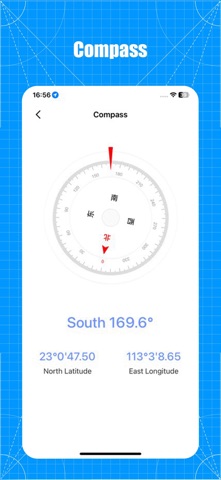
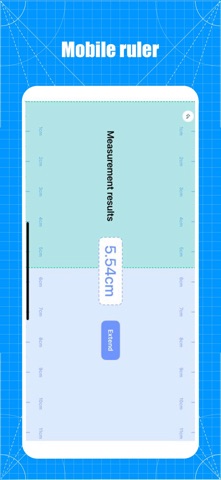
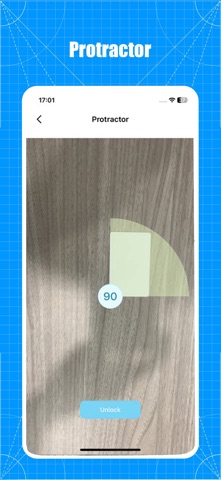
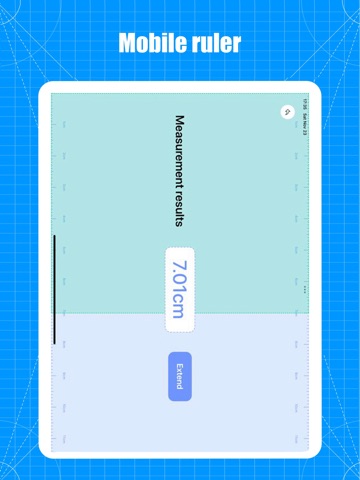
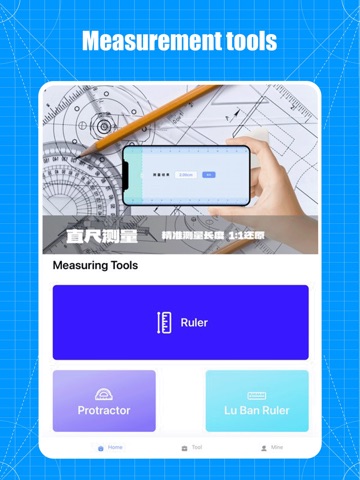
This is a powerful measurement application that utilizes advanced augmented reality technology and various measurement tools to provide users with convenient and accurate measurement solutions. major function AR measurement: Simply turn on the camera and it will automatically recognize the scene and generate measurement reference lines, such as plane size, distance, and so on. The application has a built-in ruler tool, which allows users to align the ruler on the phone screen with the actual object through simple operations, and then directly read the length of the object. This is a convenient and fast measurement method, especially suitable for small or regular objects. 【 protractor 】 Users can accurately measure the angle between two line segments by placing them on the screen. This is a very useful tool for users who need to perform angle measurements. Users can use the mobile screen as a virtual ruler to accurately measure the length and horizontal direction of objects. The user only needs to locate two positions and will automatically calculate the distance between the two positions. In addition, it provides functions such as compass, decibel, level, and illuminator, which can assist users in the measurement toolbox they need in their daily lives. Meet various length measurement needs of users. By using us, measurements will become simpler, more accurate, and more convenient. Privacy Policy: User Agreement: This is a powerful measurement application that utilizes advanced augmented reality technology and various measurement tools to provide users with convenient and accurate measurement solutions. major function AR measurement: Simply turn on the camera and it will automatically recognize the scene and generate measurement reference lines, such as plane size, distance, and so on. The application has a built-in ruler tool, which allows users to align the ruler on the phone screen with the actual object through simple operations, and then directly read the length of the object. This is a convenient and fast measurement method, especially suitable for small or regular objects. 【 protractor 】 Users can accurately measure the angle between two line segments by placing them on the screen. This is a very useful tool for users who need to perform angle measurements. Users can use the mobile screen as a virtual ruler to accurately measure the length and horizontal direction of objects. The user only needs to locate two positions and will automatically calculate the distance between the two positions. In addition, it provides functions such as compass, decibel, level, and illuminator, which can assist users in the measurement toolbox they need in their daily lives. Meet various length measurement needs of users. By using us, measurements will become simpler, more accurate, and more convenient. Privacy Policy: https://www.freeprivacypolicy.com/live/2336a669-5e0c-4686-a785-2380ba680549 User Agreement: https://www.freeprivacypolicy.com/live/9e3b128e-10b5-49a3-880f-7eca23860b39
Latest release
What’s New
Fix known crash issues
Audience growth
Ratings growth
Baseline captured. Growth appears after the crawler observes a changed rating count.
Momentum comes from crawler snapshots for the tracked storefront. “Viral growth signal” means unusually fast recent rating gains; it is an indicator, not download data.
Price tracking
Price intelligence
First snapshot captured. The trend line starts after the next crawler price observation.
- First observed Aug 16, 2026 · 9:28 AM Free
Screenshots