About this app
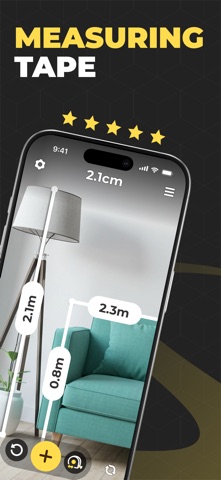
Measuring Tape: AR Ruler App Turn your iPhone into a smart AR tape measure Just point your camera, and Measuring Tape instantly measures length, distance, height, area, angle, and volume — all in one app. Whether you're planning home improvements, checking furniture dimensions, or designing your next room layout, Measuring Tape makes it fast, accurate, and effortless. MEASUREMENT MODES AR Ruler — Measure length, width, height, and distance using your camera Room Measurement — Measure room dimensions and calculate area in seconds Height Measure — Measure people, walls, doors, and furniture with ease Area Measurement — Calculate floor and wall area for renovation planning Angle Measurement — Measure angles between surfaces for precise alignment Volume Measurement — Measure length, width, and height to calculate volume Bubble Level — Check if surfaces, frames, and shelves are perfectly level FEATURES Imperial & Metric units — inches, feet, centimeters, and meters Photo Measure — capture and save photos with measurement overlays Save & Share — export your measurements anytime Flashlight support — measure accurately in low-light environments Offline support — no internet connection required Simple interface — start measuring instantly, no learning curve PERFECT FOR Home improvement and renovation projects Furniture shopping — check if it fits before you buy Interior design and room layout planning Real estate — quickly measure rooms during property visits DIY projects and construction work Moving — measure doorways, hallways, and tight spaces Everyday measurements on the go WHY MEASURING TAPE? 7 measurement modes in one app Powered by ARKit with LiDAR support for enhanced accuracy on compatible devices Intuitive interface anyone can use from day one Save, edit, and share your measurements effortlessly Free to download — premium features available via subscription COMPATIBILITY iPhone running iOS 16 or later Camera permission required for AR features LiDAR-enabled devices provide enhanced measurement accuracy SUPPORT Enjoying Measuring Tape? We'd love a rating or review on the App Store — it really helps! Questions or feedback? We're here to help: aplsiosdeveloper@gmail.com SUBSCRIPTION Payment will be charged to your App Store account upon confirmation of purchase. Subscriptions renew automatically unless canceled at least 24 hours before the end of the current period. Manage your subscription anytime in App Store Account Settings. Ready to measure anything, anywhere? Download Measuring Tape and start in seconds. Privacy Policy: https://sites.google.com/view/upluspace-measure-p-policy Terms of Use: https://sites.google.com/view/upluspace-measure-terms-of-use
Latest release
What’s New
Bug Fixes and Feature Enhancements
Audience growth
Ratings growth
Baseline captured. Growth appears after the crawler observes a changed rating count.
Momentum comes from crawler snapshots for the tracked storefront. “Viral growth signal” means unusually fast recent rating gains; it is an indicator, not download data.
Price tracking
Price intelligence
First snapshot captured. The trend line starts after the next crawler price observation.
- First observed Aug 20, 2026 · 4:27 AM Free
Screenshots