About this app
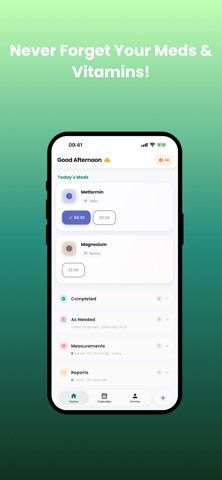
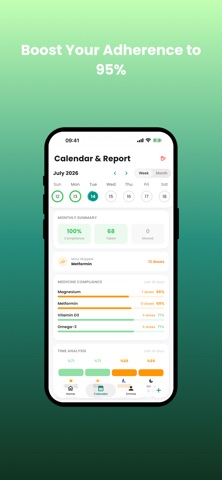
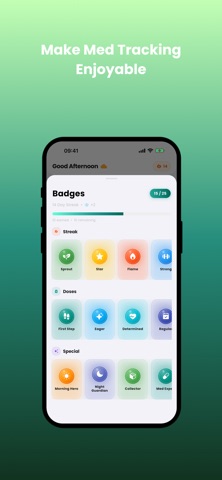
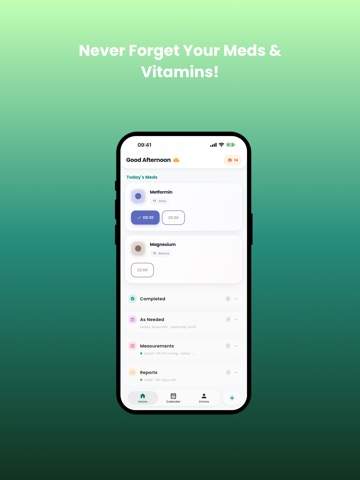
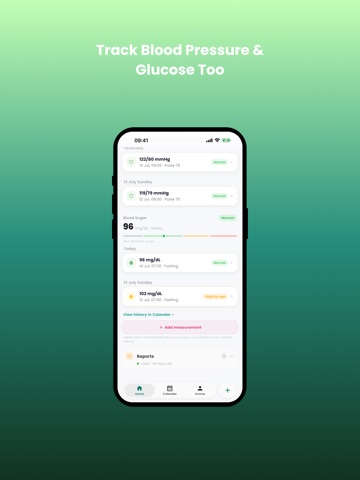
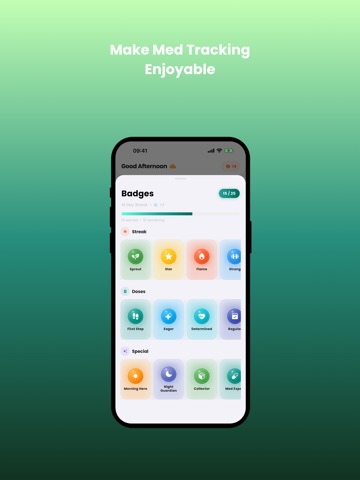
Never forget your medications again. A pharmacist-designed, offline, ad-free medication reminder. Don't miss a dose, complete your treatment. Easy tracking for your family and loved ones, all in one app. Your health is too valuable to leave to chance. WHY MEDTIME? -Pharmacist Trust: This app was designed not by a software developer, but with the experience of a healthcare professional, based on the real needs of patients. -Quick Add with Barcode: No more typing medication names. Just point your camera at the box and let AI recognize it automatically. -Drug Information at Your Fingertips: Usage instructions, side effects, and interactions for every medication, accessible with a single tap. -Easy to Use, Add Medication in Three Steps: No complicated menus. Medication name, time, duration — your medication is ready in just three steps. Seconds, not minutes. -Visual Tracking with Pill Photos: Add a photo of each medication. When pill boxes look alike, "Which one was which?" is no longer a question. A lifesaver for elderly users and people taking multiple medications. -Badges and Daily Streaks: Earn badges as you stay consistent with your treatment and keep your daily streak alive. Protecting your health has never been this motivating. -Works Offline: Your data never leaves your phone. Receive reliable reminders even without an internet connection. -Ad-Free Experience: You don't want ads in a health app. Neither do we. SMART REMINDERS -Quiet and smart notifications — medications at the same time grouped together -7 different notification sounds -One-Tap "Take All" — mark 5 morning pills with a single tap SMART TREATMENT TRACKING -Set treatment duration (1 week, 1 box, ongoing, etc.) -Get alerted before you run out -See your treatment adherence as a percentage -Review your history on the calendar -Instantly answer "Which medications were you taking?" at the doctor or pharmacy -Easily share your medication and report information as a list FAMILY TRACKING -Separate profiles for your mother, father, and children -Separate profiles for your cats, dogs, and other pets -A custom photo for each profile -Manage everyone from a single app WHO IS IT IDEAL FOR? -People with chronic conditions (blood pressure, diabetes, thyroid, heart) -Anyone taking regular vitamins and supplements -Athletes tracking performance -Caregivers for elderly parents -Those tracking pregnancy and postpartum -Parents tracking their children's medications -Pet owners tracking medications and vaccinations Terms of Use (EULA): https://www.apple.com/legal/internet-services/itunes/dev/stdeula/
Latest release
What’s New
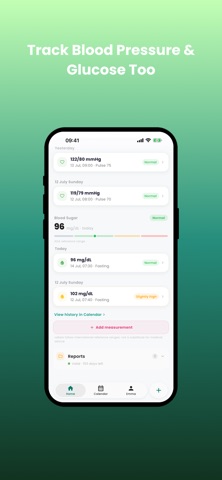
• How-to-Use Coach. Step-by-step spoken guidance for eye drops, nasal sprays, ear drops, inhalers and nebulisers. With AirPods on it checks your head angle live, and the steps advance on their own while your hands are busy. Free. • Simpler notifications. Reminders with several medicines now show all of them, "on an empty stomach / with food" is written right in the reminder, and low-stock warnings moved inside it instead of arriving separately. Only medication time interrupts your phone; stock and report alerts wait quietly. • Apple Health now works both ways. Readings your blood pressure monitor or glucose meter write to Health land in your journal automatically — no typing needed. One switch turns it all on. • If you use insulin, you can set the units per dose; the doses you take are logged to Apple Health as insulin. • Stock counter fixed: adding a box now also increases your remaining doses. Tapping the stock badge asks how many boxes you added — the counter adds up instead of resetting. • Medication report screen: fixed a crash in the suggestion list and a keyboard that stayed open after sharing. • Fixed: measurements did not appear on the home screen for people who only log readings and have not added a medication yet. • The reminder 30 days before your medication report expires is now always on.
Audience growth
Ratings growth
Baseline captured. Growth appears after the crawler observes a changed rating count.
Momentum comes from crawler snapshots for the tracked storefront. “Viral growth signal” means unusually fast recent rating gains; it is an indicator, not download data.
Price tracking
Price intelligence
First snapshot captured. The trend line starts after the next crawler price observation.
- First observed Sep 3, 2026 · 2:14 AM Free
Screenshots