About this app
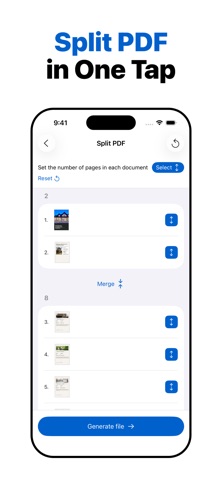
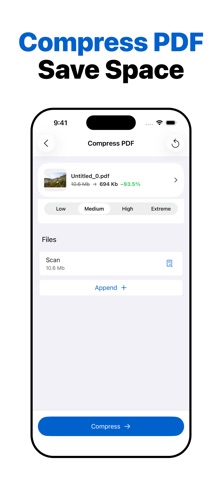
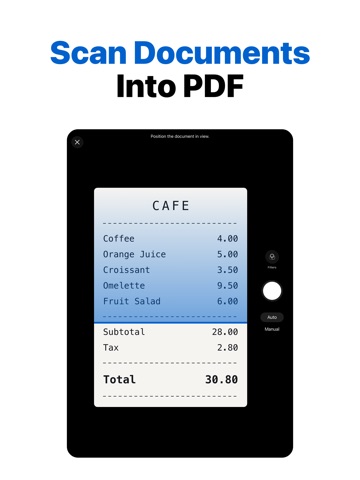
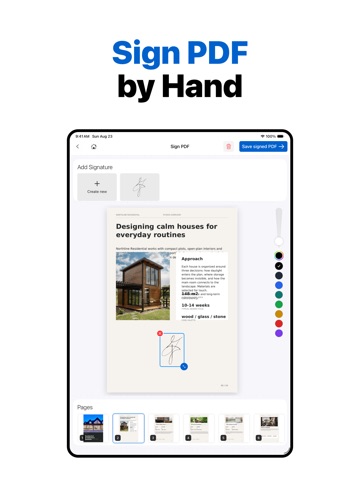
A practical PDF editor and PDF converter built for clear everyday document work. The app gives you a simple way to organize, edit, convert, and prepare PDF documents without relying on complicated software or web-based tools. It is designed for users who need a dependable PDF workflow for work, study, and personal files. Most tools work offline and process documents directly on your device. This helps you work with important files while keeping them under your control, especially when online PDF services are restricted. The only tool that requires an internet connection is Office to PDF, used for converting Word, Excel, and PowerPoint files to PDF. Base PDF tools: • Merge PDF. Combine multiple PDF documents and images into one PDF file. • Images to PDF. Create PDF documents from photos, scans, and image files. • Extract PDF Pages. Save selected pages from a PDF as a new document. • Edit PDF Pages. Reorder, rotate, or delete pages in a PDF document. • Split PDF. Break one PDF document into smaller PDF files. • Scan Documents. Capture documents with your camera and save them as high-quality PDF files. • Protect PDF. Add or remove password protection from a PDF document. Removing protection requires the correct password. • Add Page Numbers to PDF. Place page numbers where you need them in a document. • Align PDF Page Width. Align page width across a PDF document for a more consistent layout. • Text Recognition OCR. Recognize text in scanned documents and images. • Sign PDF. Add a signature to a PDF document. • Compress and Resize Photos. Reduce image file size and adjust image dimensions. Some tools are available in the Pro version: • Compress PDF. Reduce PDF file size for easier sharing and storage. • Office to PDF. Convert Word, Excel, and PowerPoint files to PDF. This tool requires an internet connection. • Photo Templates for PDF. Turn photos into styled PDF documents using templates. • PDF to Images. Export selected PDF pages or a full PDF document as image files. • Add Watermark to PDF. Add text or image watermarks to PDF documents. Privacy Policy https://docs.google.com/document/d/1Ey7ZxLODDc1tQ1_N08LCTCwsi2jnHXEbMZugFv_AiUk/edit?usp=sharing Terms of Use https://docs.google.com/document/d/1BjWeGxiOgNmTs-eCTKq5Y0LfgDBe_sVHDS1h22ZsZ9w/edit?usp=sharing
Latest release
What’s New
Bug fixes and performance improvements
Audience growth
Ratings growth
Baseline captured. Growth appears after the crawler observes a changed rating count.
Momentum comes from crawler snapshots for the tracked storefront. “Viral growth signal” means unusually fast recent rating gains; it is an indicator, not download data.
Price tracking
Price intelligence
First snapshot captured. The trend line starts after the next crawler price observation.
- First observed Aug 27, 2026 · 7:03 AM Free
Screenshots