About this app
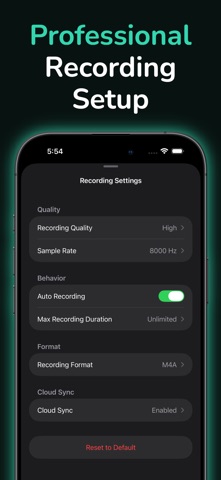
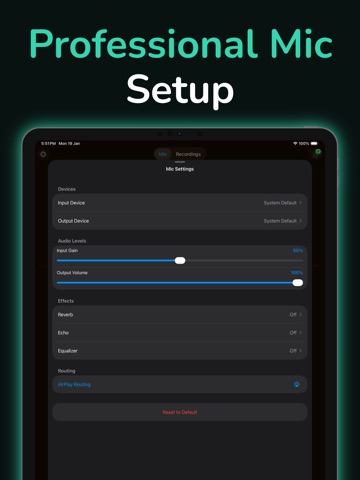
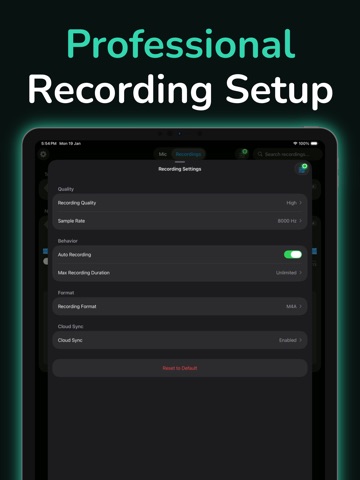
Use your device as a live microphone! Connect to any speaker and your voice comes out loud and clear. HOW IT WORKS Plug your device into a speaker (or connect via Bluetooth). Open the app and tap the screen. That's it! Your voice now plays through the speaker. Works even when your screen is locked. EASY TO USE • One tap to turn on or off • Works in the background • Runs even when screen is locked • Connect via Bluetooth, AirPlay, or cable • No complicated setup needed MAKE YOUR VOICE SOUND BETTER Add echo and reverb for fun effects. Adjust bass and treble. Make your voice louder or softer. Everything updates in real-time as you talk. EVERYTHING GETS RECORDED Every session is saved automatically. Listen back anytime. Edit and trim recordings. Share with friends. Export to your computer. WORKS WITH ANY SPEAKER • Bluetooth speakers and headphones • AirPlay devices • Wired speakers with audio cable • Home stereo systems • Car audio systems PERFECT FOR Live Streaming - Use as a wireless mic for YouTube, Twitch, or Facebook Live. No expensive equipment needed. Video Calls - Better audio for Zoom, Teams, or Skype. Your voice sounds much clearer. Podcasts - Record easily with automatic saving. Edit and share when done. Karaoke - Turn any speaker into a karaoke machine. Add echo to sound professional. Gaming - Clear voice chat for Discord, Xbox, PlayStation. Talk to your team instantly. Music - Record singing or instruments. High-quality sound for practice or content creation. Announcements - Make announcements at home or small events. Everyone can hear you clearly. Hearing Assistance - Amplify voices in meetings or classes. Helpful for better hearing. SAVE YOUR RECORDINGS • Save to iCloud Drive • Upload to Dropbox • Backup to Google Drive • Or keep everything on your phone ADJUST EVERYTHING • Control volume levels • Choose sound quality • Pick which microphone to use • Select your audio format (MP3, WAV, M4A) • Organize recordings by date LOOKS GREAT Dark mode for nighttime. Light mode for daytime. Or match your phone's theme automatically. SAFETY TIPS 1. Start with low volume 2. Connect speakers before turning on 3. Gradually increase volume to comfortable level 4. Avoid feedback by keeping device away from speakers YOUR PRIVACY Your recordings stay on your phone or your personal cloud. We don't collect or share your data. You have full control. WHAT YOU NEED An iPhone or iPad with a microphone. A speaker or headphones. That's all! Whether you stream, podcast, sing karaoke, or just want to be heard better, this app turns your iPhone into a wireless microphone in seconds. No expensive gear needed! Download now and start using your phone as a microphone!
Latest release
What’s New
Bug fixes and enhancements.
Audience growth
Ratings growth
Baseline captured. Growth appears after the crawler observes a changed rating count.
Momentum comes from crawler snapshots for the tracked storefront. “Viral growth signal” means unusually fast recent rating gains; it is an indicator, not download data.
Price tracking
Price intelligence
First snapshot captured. The trend line starts after the next crawler price observation.
- First observed Aug 21, 2026 · 12:59 PM Free
Screenshots