About this app
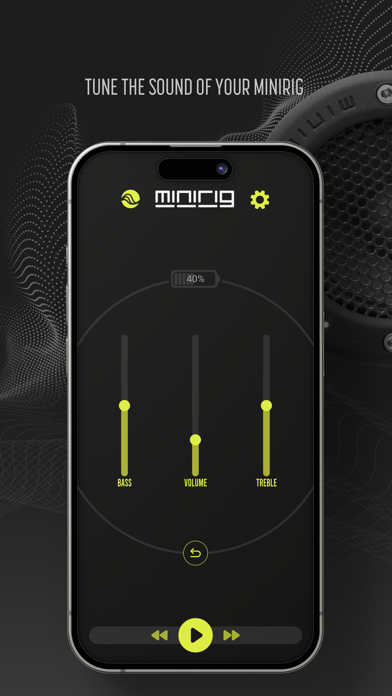
Minirig 4 Control App Enhance your audio experience with the Minirig Control app. Take command of your Minirig system with precision audio adjustments and seamless playback controls. Stay ahead of the curve with automatic updates for the latest features and improvements. Key Features: Audio Mastery: Bass & Treble Gain: Tailor your sound with precise frequency adjustments. Volume Control: Easily fine-tune audio levels to match your preferences. Play/Pause/Skip: Effortlessly navigate through your playlists. Advanced Settings: Auto Turn Off: Set a timer for automatic shutdown. LED Brightness Control: Customize the ambience with adjustable LED brightness. Auto Link Up: Enjoy hassle-free connectivity. LED VU Mode: Immerse yourself in a visual audio experience with synchronized LED lights. Save & Tilt EQ: Save custom equalizer settings or experiment with dynamic audio profiles. Software Updates: Stay Updated: Receive automatic updates to access new features and improvements. Minirig Mixtapes & Playlists: Latest Mixtapes: Explore curated mixes for a diverse auditory experience. Playlist Access: Seamlessly enjoy your favourite tunes with easy access to playlists. Upgrade your audio journey with the Minirig Control app. Download now for an innovative, personalized, and always up-to-date Minirig experience.
Latest release
What’s New
Support for Minirig Subwoofer 4, general bug fixes, and performance improvements.
Audience growth
Ratings growth
Baseline captured. Growth appears after the crawler observes a changed rating count.
Momentum comes from crawler snapshots for the tracked storefront. “Viral growth signal” means unusually fast recent rating gains; it is an indicator, not download data.
Price tracking
Price intelligence
First snapshot captured. The trend line starts after the next crawler price observation.
- First observed Aug 19, 2026 · 9:23 PM Free
Screenshots