About this app
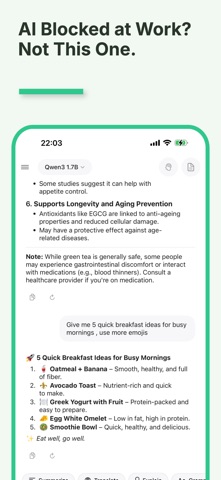
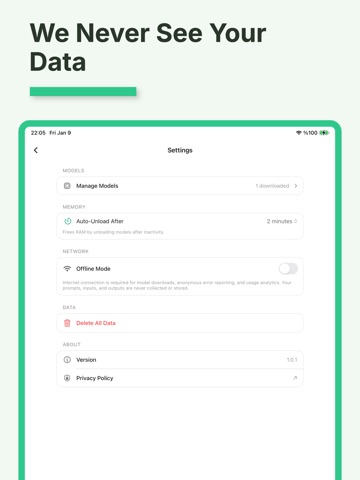
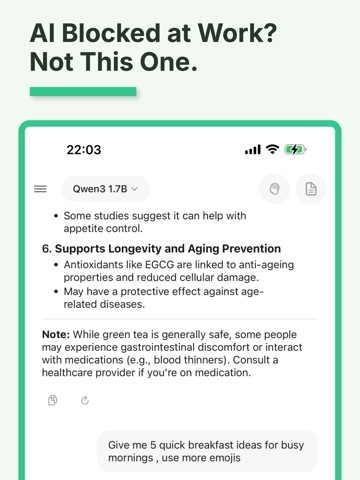
MLX Studio brings powerful AI chat to your Apple devices, running entirely on-device for complete privacy. No data ever leaves your device. Choose from 15+ pre-configured MLX models or import any compatible model from HuggingFace. Store models on external drives to save space. APPLE INTELLIGENCE (iOS 26+ / macOS 26+) Powered by Apple Foundation Models - Apple's on-device AI framework. - Built-in AI: Use Apple Intelligence with no download required - Instant access: Start chatting immediately without waiting for model downloads - Seamless switching: Easily switch between Apple Intelligence and custom MLX models - 4K context support for quick conversations KEY FEATURES - 100% Private: All AI processing happens locally on your device - Multiple AI Models: Choose from curated state-of-the-art language models optimized for Apple Silicon - Vision Understanding (Mac): Analyze images with Vision Language Models - Image Generation (Mac): Create images using Stable Diffusion and FLUX models - Smart Memory: AI remembers important conversation details - Smart RAM Management: Models automatically unload when idle - Works Offline: Use anywhere without internet once downloaded - Native Experience: Built with SwiftUI for iOS, iPadOS, and macOS SUPPORTED DEVICES & MODELS INCLUDED iPhone, iPad, Mac (16GB+ RAM recommended for Mac). Includes Qwen3, Llama 3.2, Gemma 2, vision models, and FLUX/Stable Diffusion. No subscriptions, accounts, or cloud required.
Latest release
What’s New
NEW FEATURES • Apple Intelligence Integration - Use Apple's built-in AI with no download required (iOS 26+/macOS 26+) • Seamless engine switching between Apple Intelligence and MLX models • External Storage Support - Save models to external drives or custom locations (Mac) IMPROVEMENTS • Better session management - each conversation remembers its model • Faster app startup with initialization overlay • Improved touch targets for better iOS usability BUG FIXES • Fixed model switching when continuing existing conversations • Fixed Apple Intelligence state not updating after setup • Various stability improvements
Audience growth
Ratings growth
Baseline captured. Growth appears after the crawler observes a changed rating count.
Momentum comes from crawler snapshots for the tracked storefront. “Viral growth signal” means unusually fast recent rating gains; it is an indicator, not download data.
Price tracking
Price intelligence
First snapshot captured. The trend line starts after the next crawler price observation.
- First observed Aug 8, 2026 · 10:32 PM Free
Screenshots