About this app
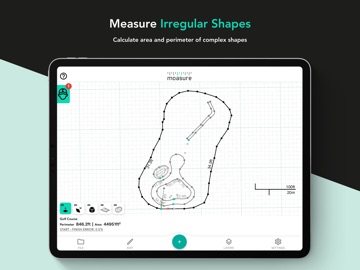
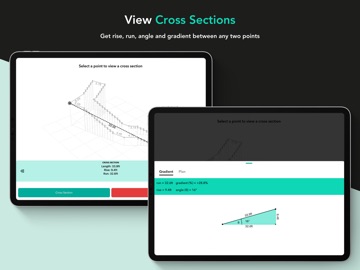
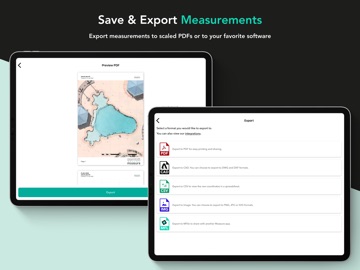
The Moasure app – formerly known as the Moasure PRO app – is the innovative companion app for all Moasure devices. Connecting via Bluetooth, the Moasure app provides you with a sleek and user-friendly interface to help you measure, view and edit your measurement data in one place, without the need for Wi-Fi, GPS, or cell phone signal. Measure and draw simultaneously See your measurements visualized in 2D & 3D instantly on-screen, with a number of different ways to view your data. Capture the area, perimeter, true surface area, volume, elevation, gradient, and more of your measured space, in the time it takes to walk the site. Plus, choose from a variety of path types to tackle complex spaces with ease, such as straight lines, curves, and arcs. Inspect and edit your measurements Utilize the range of powerful in-app tools to enhance your data and diagrams, including the ability to: determine the rise, run and gradient between any two selected points, calculate cut-and-fill volumes, add background images to measurements, label points of interest, customize colors of layers, determine net areas using an in-built calculator and a whole host of other productive tools. Organize and export your files Save each measurement, and categorize files into folders for easy access within the app. Use a variety of exporting options, including directly to CAD through DXF & DWG formats and as a PDF, CSV, and IMG files for quick and convenient sharing between customers and colleagues. The Moasure app is free to download, and there are no subscription fees.
Latest release
What’s New
• Support for Moasure LX1 • Floorplans – create floorplans in the app (Moasure LX1 only) • Faster, more reliable exports • Send files direct from folders when contacting support • Bug fixes and performance improvements
Audience growth
Ratings growth
Baseline captured. Growth appears after the crawler observes a changed rating count.
Momentum comes from crawler snapshots for the tracked storefront. “Viral growth signal” means unusually fast recent rating gains; it is an indicator, not download data.
Price tracking
Price intelligence
First snapshot captured. The trend line starts after the next crawler price observation.
- First observed Aug 28, 2026 · 9:17 AM Free
Screenshots