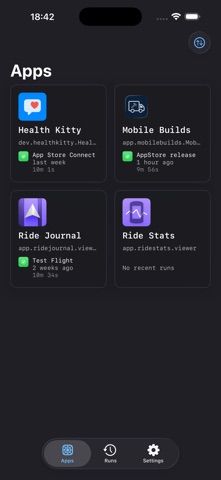
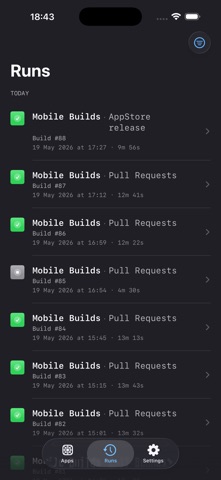
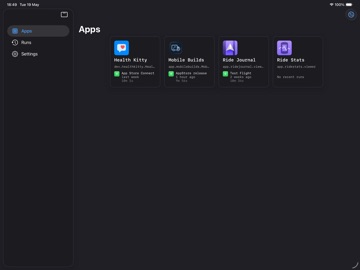
About this app
Your build broke and you're nowhere near your desk. Open a browser, sign in, find the run, hit rebuild — or just say "Hey Siri, re-run my last build in Mobile Builds" and get on with your day. Mobile Builds gives you real insight into your continuous integration workflow — status, history and analytics — without ever opening a browser or leaving your routine. JUST ASK Ask what's building. Ask if anything failed. Re-run your last build by voice. Seven Siri phrases work the moment you install, with nothing to configure. Ask what's building and Siri shows you a live list of runs with a Re-run button built into the answer — so you can fix it without opening anything. AUTOMATE IT Twelve Shortcuts actions, with proper pickers for your apps, workflows and runs. Start a build on any branch. Check a workflow's status. Find every failed run from today, filtered by branch or app and sorted by whatever matters. Build the automation you actually want: a morning summary of overnight builds, a Home Screen button that ships your release branch, a check that runs before you leave the house. FIND IT IN SPOTLIGHT Your apps, workflows and runs are searchable straight from Spotlight. Type a branch name or a build number and land on the right screen. SEE WHAT YOUR CI IS ACTUALLY DOING Genuine insight into your builds — not just a green or red light. • Full run history, filtered by workflow, branch or result • Detailed action breakdowns: build, test, analyse, archive, TestFlight • Create and edit workflows without a browser • Favourites, to pin the apps and workflows you check most • Signed in everywhere, synced through iCloud NOTHING RUNS WITHOUT YOUR SAY-SO Every action names the specific build and asks you to confirm first. Ask for anything you like — nothing starts until you agree. PRIVATE BY DEFAULT Your build data is yours. Mobile Builds talks directly to Apple's APIs. Your credentials and CI information never touch our servers, because we don't run any. Free to download, with an optional subscription for extended history and analytics. Asking Siri, running shortcuts and starting builds are all free. SUPPORT Questions, feedback, or feature requests? Email support@mobilebuilds.app — we'd love to hear from you. Terms and Conditions: https://mobilebuilds.app/terms/
Latest release
What’s New
Your build broke. You're three suburbs away. Say "Hey Siri, re-run my last build in Mobile Builds." Done. Keep walking. 2026.6 is the release where Mobile Builds stops being an app you open and starts being something you just ask. ASK SIRI Seven phrases, no setup, no configuring: • "What's building in Mobile Builds?" • "Did anything fail in Mobile Builds?" • "Re-run my last build in Mobile Builds" • "Show my apps in Mobile Builds" • "Show my workflows in Mobile Builds" • "Open Runs in Mobile Builds" • "Open Mobile Builds" Ask what's building and you get a live list you can act on — with a Re-run button right there in the answer. Statuses refresh as you look at them. BUILD YOUR OWN AUTOMATIONS Twelve actions in Shortcuts, with real pickers for your apps, workflows and runs. Start a build on any branch. Re-run a specific run. Get the status of a workflow. Find every run where the status is Failed, or the branch contains "release", sorted however you like. Wire it into anything. A morning digest of last night's builds. A Home Screen button that ships your release branch. A shortcut that checks the build before you head out. SEARCH SPOTLIGHT Type an app, a workflow, a branch or a build number into Spotlight and go straight there. NOTHING STARTS WITHOUT YOUR SAY-SO Every action names the exact build and asks first. No surprises.
Audience growth
Ratings growth
Baseline captured. Growth appears after the crawler observes a changed rating count.
Momentum comes from crawler snapshots for the tracked storefront. “Viral growth signal” means unusually fast recent rating gains; it is an indicator, not download data.
Price tracking
Price intelligence
First snapshot captured. The trend line starts after the next crawler price observation.
- First observed Aug 19, 2026 · 7:38 PM Free
Screenshots