About this app
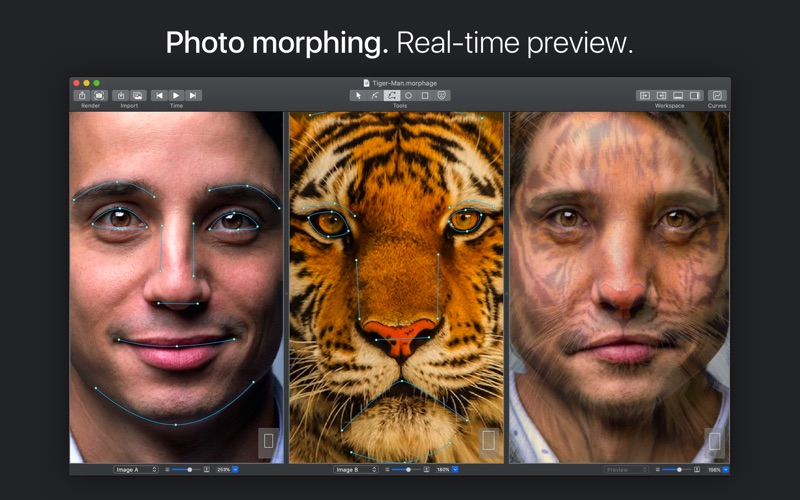
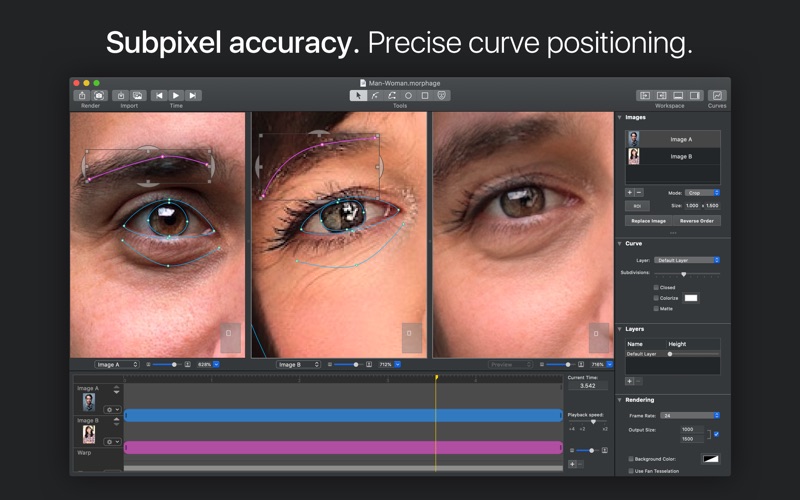
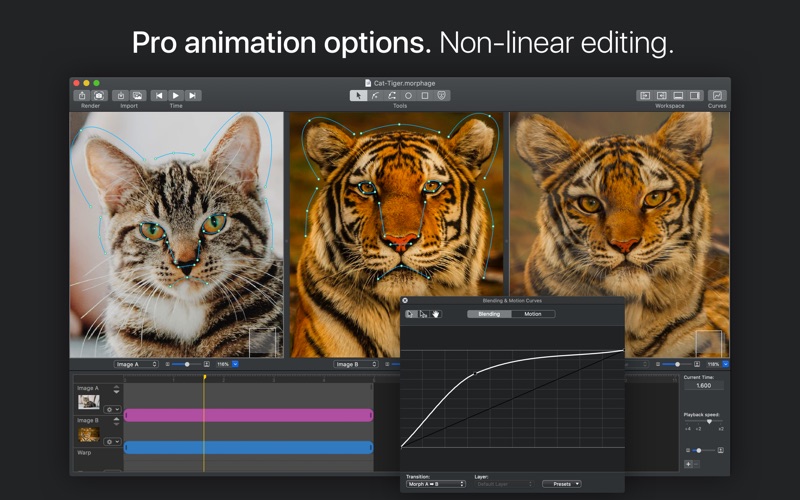
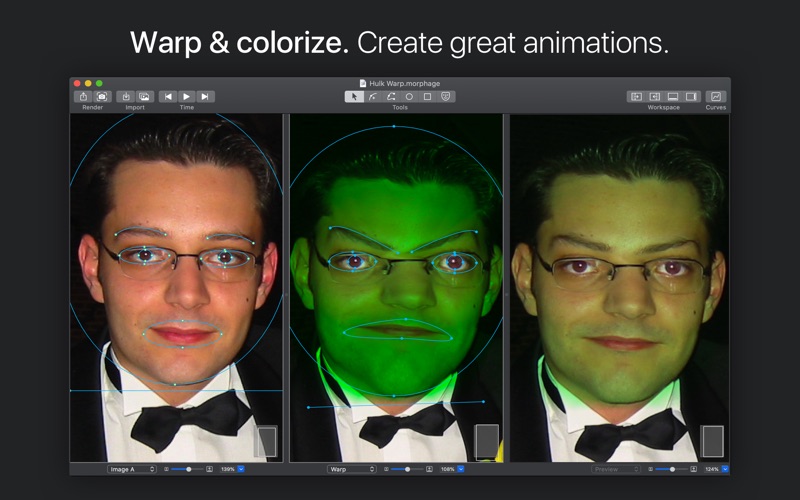
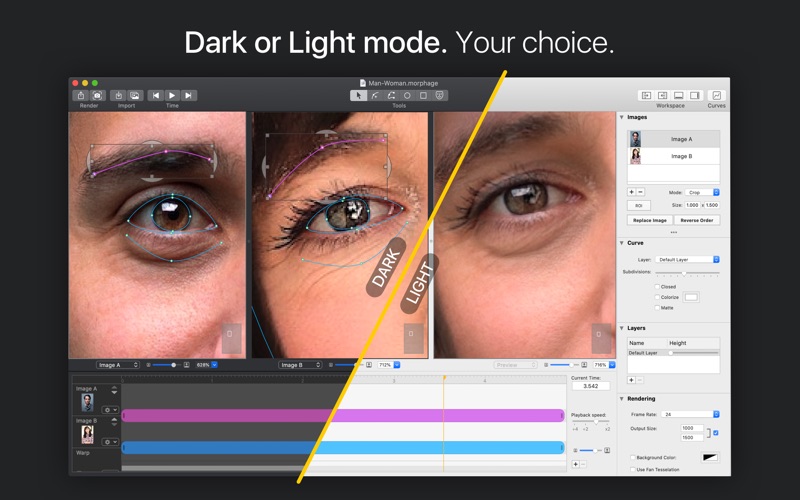
Morph Age is an application to create morphing and warping animations on macOS. With Morph Age, you can create a morphing animation from two or more images. Define curves on matching features in each image (such as the contour of the eyes, nose, mouth in the case of face morphing), and preview the changes in real time. When satisfied with the result, export your morphing either as a movie or several images. The possibilities are nearly endless! Morph humans, animals, humans to animals, objects… You can also work from a single image to create special effects by warping & colorizing it, and give it an original touch! Animate warp curves independently to make specific parts of the image move with their own style and pace. MAIN FEATURES - Support for 64-bit architectures - Warp (deform) images - Morph still images (support for multiple images) - Interactive previewing - Key-framed animation of curves - Colorization - Face location detection - Smart assist for easily editing curves - Subpixel accuracy for curve fine-tuning to avoid “ghost” effects POWERFUL TOOLS - Bézier splines for more control on deformation - Curve, circle, square tools - Multi-selection & editing of curves - Move, resize, rotate - Simple animation effects: normal, smooth, springy, accelerate, decelerate - Complex animation effects: key-framed curve motion - Zooming, panning capabilities for precise fine tuning - Multi-morph support (A>B>C…) - Fullscreen editing and previewing - Non-linear editing (motion & blending curves) - Replace image, reverse order - Region of interest (ROI) definition for images of different sizes - Make animation longer or shorter - Increase/decrease size of the images for export - Unlimited undo/redo - Separate real-time preview panel RENDERING/PREVIEWING - Ultra-fast hybrid rendering engine (GPU/CPU) - Back and forth for morphing animations - Background color, even transparent - Photoshop-like transparency previewing - Alpha aware for transparent images - Partial rendering OUTPUT FORMATS - Morph Age documents (.morphage) - TIFF, GIF, JPEG, PNG - Still images sequence - Video (.mov) in H.264 or ProRes — Now support for 4K resolution QUESTIONS? Reach us at support@creaceed.com for fast friendly help.
Latest release
What’s New
Modernization for macOS 26 Tahoe - App icon updated for Liquid Glass - Modernized app iconography with SF Symbols. - Improved toolbar icons - Added icons to menus - Stability enhancements & optimization for macOS 26 Tahoe Localization - Morph Age is now localized in more languages Privacy - Enhanced user privacy: Morph Age no longer relies on App Center (Microsoft) for anonymous features analytics and crash reporting. Anonymous crash reports are now handled through built-in macOS mechanism (user opt-in), and features analytics has been completely removed. Requirements - Morph Age now requires macOS 13 Ventura or Higher.
Audience growth
Ratings growth
Baseline captured. Growth appears after the crawler observes a changed rating count.
Momentum comes from crawler snapshots for the tracked storefront. “Viral growth signal” means unusually fast recent rating gains; it is an indicator, not download data.
Price tracking
Price intelligence
First snapshot captured. The trend line starts after the next crawler price observation.
- First observed Aug 7, 2026 · 10:00 PM $79.99
Screenshots