About this app
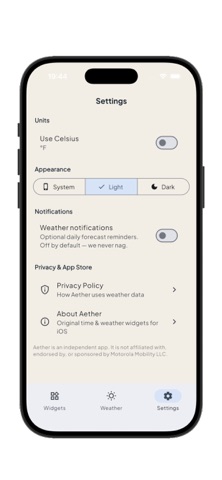
Moto Widget brings time and weather to your Home Screen with stylish, customizable widgets. WIDGET STYLES • Classic — clean circular clock with date, weather, and battery ring • Beyond — colorful circular look with time and conditions • Clean — bold minimal clock • Adapt — flexible layout for time, weather, location, and AQI • Weather — conditions and forecast at a glance WEATHER AT A GLANCE • Current temperature and conditions • Hourly and 7-day forecasts • Humidity, wind, pressure, UV index • Air quality (AQI) • Search any city — no GPS required HOME SCREEN WIDGETS Add small, medium, or large widgets from the iOS widget gallery. Open the app, choose your style and city, and your Home Screen updates automatically. PRIVACY-FRIENDLY • No account required • No GPS location permission • Weather data from Open-Meteo • Preferences stored on your device How to add a widget: 1. Touch and hold the Home Screen 2. Tap Edit → Add Widget 3. Search for Moto Widget 4. Choose a size and add it
Audience growth
Ratings growth
Baseline captured. Growth appears after the crawler observes a changed rating count.
Momentum comes from crawler snapshots for the tracked storefront. “Viral growth signal” means unusually fast recent rating gains; it is an indicator, not download data.
Price tracking
Price intelligence
First snapshot captured. The trend line starts after the next crawler price observation.
- First observed Sep 14, 2026 · 5:24 PM Free
Screenshots