About this app
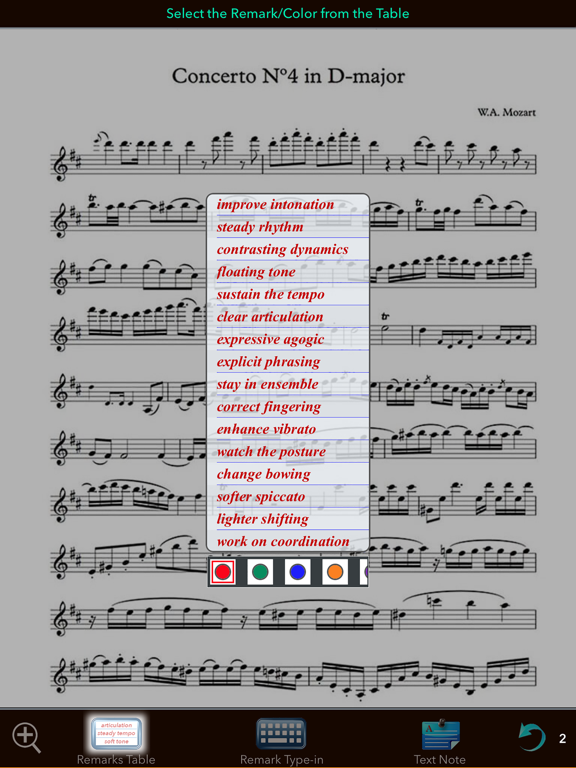
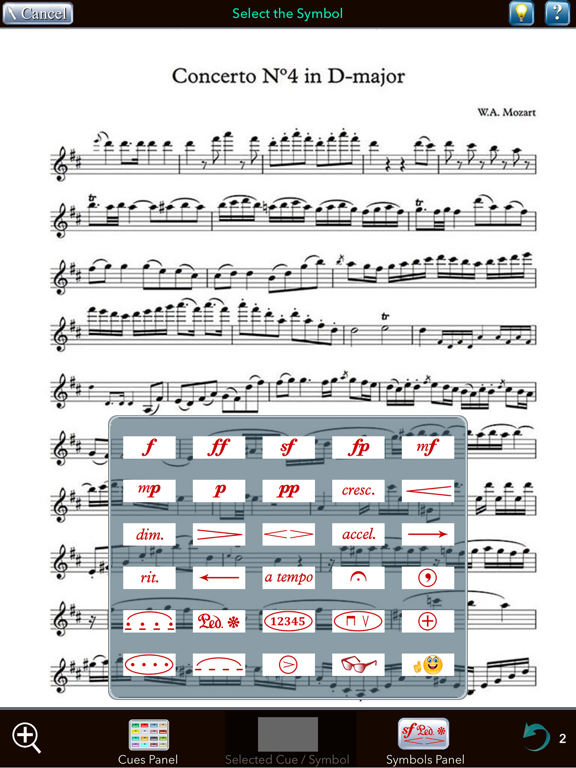
‘Music Lesson Note-Pad’ is an application designed to help music students in their individual practice. The application provides students with opportunity to record lesson’s most significant tasks in a series of multimedia notes - audio, video, graphics, and textual. The distinct advantage of these notes is that they are displayed contextually within the music page right at the relevant music selections, as seen in the screenshots. As a result, a page of music turns into concrete visual plan for home practicing. Furthermore, the audio and video notes allow to save teacher’s verbal instructions and playing demonstrations in the most vivid authentic way. Such notes are literally and metaphorically – speaking. Listening to audio notes, or watching video notes, or reading the transcription of dictated text note is utterly simple – just a single tap on the note’s image. Such an immediate access to the notes' contents allows students, while working on particular task, to retrieve the relevant instructions right at the moment when the guidance is needed. That makes individual practicing more effective and engaging. Creating a note was designed to be simple and minimally interruptive to the lesson. It takes mere seconds - 2-3 intuitively comprehensible taps - to start recording an audio or a video note, or drawing a graphic, or dictating a text. ‘Notepad for Music Lesson’ is a feature-rich application. To help explore its functionality in evident and engaging way, the application comes with precompiled ready-to-use project that demonstrates variety of pre-made notes and – what’s even more important and helpful - also allows you to create your own ones: • Recording Audio and Video Notes. • Dictating Text Notes that are transcribed into text on-the-fly as you dictate. (Subject of availability of Speech recognition service in your area) • Drawing graphic notes in multiple drawing styles. • Creating textual remarks, and various kinds of symbols. • Editing/deleting/exporting the contents to computer. • Creating text and audio entries in the journal.
Latest release
What’s New
- Fixed issues with adding annotations to graphics - Annotation markers now accurately positioned at drawing start point, even when graphics have been rotated, moved, or scaled - Further enhanced contextual prompt labels for clearer guidance - Improved stability and performance
Audience growth
Ratings growth
Baseline captured. Growth appears after the crawler observes a changed rating count.
Momentum comes from crawler snapshots for the tracked storefront. “Viral growth signal” means unusually fast recent rating gains; it is an indicator, not download data.
Price tracking
Price intelligence
First snapshot captured. The trend line starts after the next crawler price observation.
- First observed Sep 1, 2026 · 2:50 PM Free
Screenshots