About this app
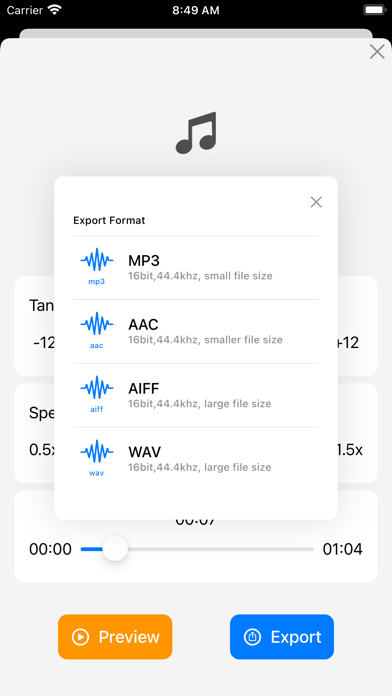
The Music Transpose app allows for easy transposition and adjustment of the speed of songs. Features: 1. Supports common audio formats (mp3, m4a, wav, tiff, flac etc.) and video formats (mp4, mov, avi, mpg etc.). 2. Pitch adjustment displays the pitch range and supports color-coded prompts (green, orange and red indicate the impact on sound quality). 3. Supports fine-tuning of pitch in half-tone increments. 4. Speed adjustment is displayed as a multiple and also shows the tempo (BPM). 5. Pitch and speed adjustments are independent of each other. 6. Supports export in multiple formats. Why use the Music Transpose app? Adjusting the pitch and speed of music and songs is a common problem in music learning. While professional software can achieve this, it can be complicated to use. The Music Transpose app provides an easy-to-use solution. Regarding purchasing: The Music Transpose app is a one-time purchase and will remain valid for life without any additional charges. The app runs locally and does not depend on cloud functionality, so you do not need to worry about the software becoming unavailable due to network issues. Regarding the trial and full versions: The trial version limits the length of the files that can be previewed and exported, but all other features are the same as in the full version. Regarding importing files: The app provides information on how to import files from other common apps to the Music Transpose app. Other apps can usually share files directly to the Music Transpose app through the share function. You can also use AirDrop to send audio or video files from an Apple computer or an iPhone/iPad to the Music Transpose app. Common issues and feedback: "Why does the app say the file is invalid when I try to import it?" The app checks the validity of imported files. If the app indicates that the file is invalid, you may need to check if the file is damaged and try again. Alternatively, you can convert the file to a common format and then import it. "Why does the app stop working after the processing circle appears during preview?" This issue is usually caused by file compatibility. We suggest converting the file to a different format and trying again. If it still does not work, you can send the file to yueyin.music@foxmail.com, and we will try to identify the problem and release a fix as soon as possible. For any other questions or feedback, please email yueyin.music@foxmail.com or contact us through WeChat (ID: allhealthyand).
Latest release
What’s New
1. Fixed export issue on iOS 26 2. Other bug fixes
Audience growth
Ratings growth
Baseline captured. Growth appears after the crawler observes a changed rating count.
Momentum comes from crawler snapshots for the tracked storefront. “Viral growth signal” means unusually fast recent rating gains; it is an indicator, not download data.
Price tracking
Price intelligence
- First observed Aug 26, 2026 · 4:58 PM Free
Screenshots