About this app
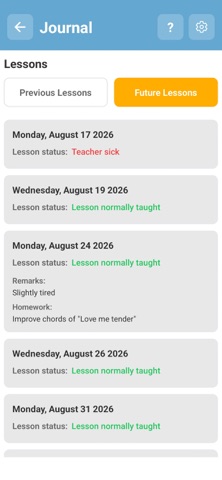
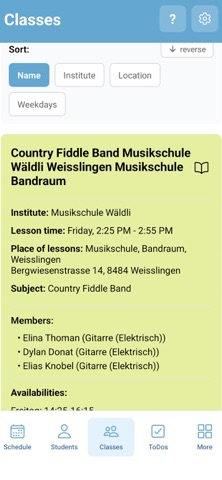
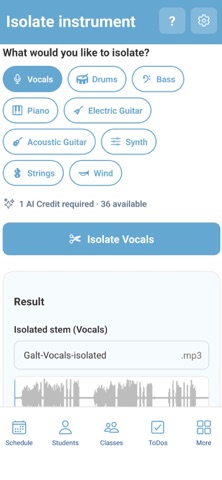
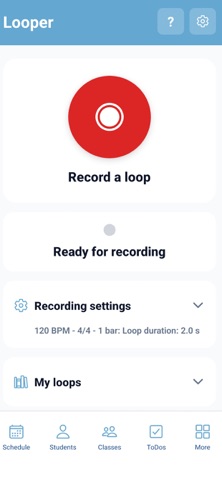
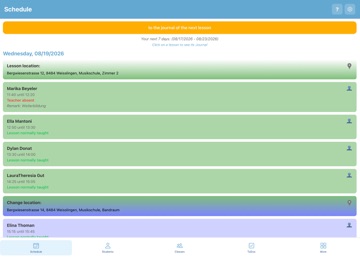
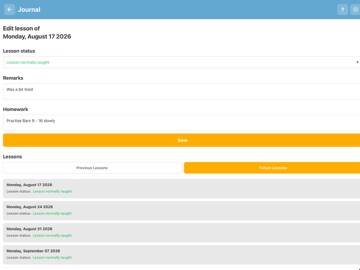
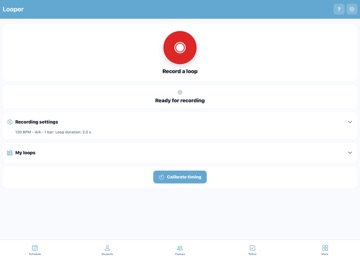
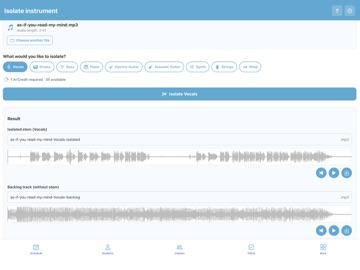
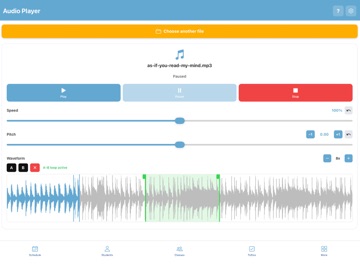
MusicScoodle Teachers MusicScoodle Teachers is the mobile companion app for the MusicScoodle web platform, designed for music teachers. The app complements your MusicScoodle account and provides mobile access to your teaching data as well as a wide range of tools for music lessons – anytime on your iPhone or iPad. A free MusicScoodle account is required to use the app. New in version 3, MusicScoodle Teachers combines lesson management with a professional music toolkit for everyday teaching. Lesson Management • Clear and convenient management of your students • Planning and organization of your lessons • Student journal with lesson history and notes • To-do functionality for your daily teaching activities • Send information directly to students via the Student App Music Toolkit • Professional audio player with pitch shift, time stretch and A/B loop • Chromatic tuner • Metronome with click, drum, swing, half-time and double-time modes • Piano • Audio looper • AI-powered stem separation using AI Credits Free Plan A free MusicScoodle account can be created at www.musicscoodle.com. Optional subscriptions are available for additional features. Subscriptions The app offers the following automatically renewing subscriptions: Easy Plan – CHF 39 per year Full Plan – CHF 99 per year Your subscription renews automatically unless it is cancelled at least 24 hours before the end of the current subscription period. Payment will be charged to your App Store account upon confirmation of purchase. Your App Store account will be charged for renewal within 24 hours before the end of the current subscription period. You can manage or cancel your subscription at any time in your App Store account settings. Terms of Use (EULA): https://www.musicscoodle.com/nutzungsbedingungen Privacy Policy: https://www.musicscoodle.com/appdatenschutz
Latest release
What’s New
• Music tools have been extensively updated and improved • Improved photo, video and audio recording • Audio recordings can now be played, paused and resumed before uploading • More reliable audio and video playback • Improved audio isolation on iPhone and iPad • Links in assignments can now be opened directly • Assignment text can be selected and copied • Improved sign-in and data display • Version and build numbers are now displayed • General bug fixes and stability improvements
Audience growth
Ratings growth
Baseline captured. Growth appears after the crawler observes a changed rating count.
Momentum comes from crawler snapshots for the tracked storefront. “Viral growth signal” means unusually fast recent rating gains; it is an indicator, not download data.
Price tracking
Price intelligence
First snapshot captured. The trend line starts after the next crawler price observation.
- First observed Aug 20, 2026 · 10:53 PM Free
Screenshots