About this app
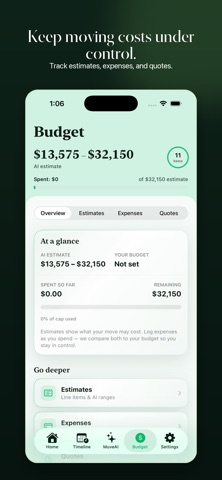
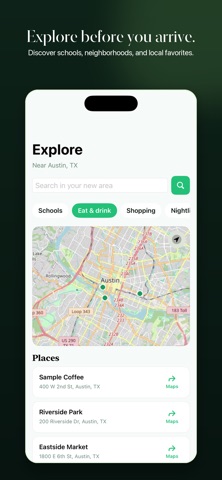
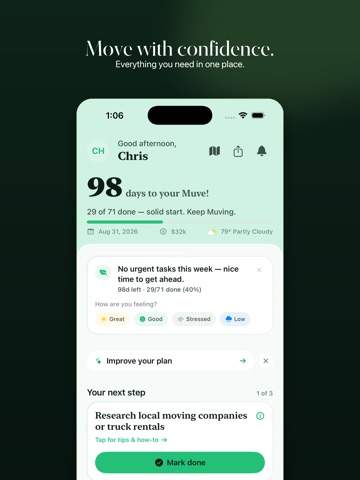
MuveMe is the iPhone app that builds your personalized move plan — so moving feels like progress, not panic. Built for relocating families, first-time homebuyers, and renters making their next move, MuveMe replaces checklist apps and scattered spreadsheets with one calm place for your timeline, budget, tasks, and important documents. WHAT YOU GET ON DAY ONE • A personalized move plan with 71 milestones, sequenced for your timeline • An AI-powered budget estimate so you know what your move will likely cost — before you spend a dime • Muve AI — a friendly advisor in your pocket that knows your dates, destination, and progress • One manageable task today, not 71 at once • A countdown that calms instead of stresses • A document vault for every lease, mover quote, and utility confirmation • A mood check-in to see how you're really feeling about the move HOW IT WORKS 1) Tell us about your move. Answer a few quick questions — where, when, and what matters most. Under three minutes. 2) Tap MuveMe. Our AI engine generates your timeline, budget estimate, and priority list — built around your real situation. 3) Keep Muving. Check off milestones, watch your readiness climb, and ask Muve AI anything along the way. WHO IT'S FOR • Relocating families with a 3–12 month planning window • First-time homebuyers moving out of rentals • Renters relocating across town or across the country • Military families, remote workers, and retirees making a big move DESIGNED FOR IPHONE MuveMe is built natively for iOS — fast launches, smooth scrolling, Dynamic Type support, and a layout that respects the notch and Dynamic Island. Works great on iPhone SE through iPhone 17 Pro Max. Push notifications keep you on track without nagging you. Dark mode looks the way it should. WHAT'S COMING NEXT • Shared move plans for couples and roommates • Deeper integrations with movers, utilities, and insurance partners • iPad-optimized layouts and home-screen widgets Questions? Email us at support@muveme.io. Privacy: https://www.muveme.io/privacy Terms: https://www.muveme.io/terms
Latest release
What’s New
New in Muve 1.1.1 — we taught the app a few new tricks. • Kate dials so you don't have to — MuveAI can call up to 3 movers for quotes (no spam re-dials) • Rate the robot — thumbs up/down after AI moments so we get better • Home got a glow-up — feelings-only check-in; Progress, This Week & My Notes finally match • Tips that actually do something — one-tap Add as My Step, clearer personalize loading • Welcome & What's New walkthroughs that feel human (not a corporate changelog) • Co-mover invites, stronger privacy, smarter AI answers, and a real notification center
Audience growth
Ratings growth
Baseline captured. Growth appears after the crawler observes a changed rating count.
Momentum comes from crawler snapshots for the tracked storefront. “Viral growth signal” means unusually fast recent rating gains; it is an indicator, not download data.
Price tracking
Price intelligence
First snapshot captured. The trend line starts after the next crawler price observation.
- First observed Sep 11, 2026 · 2:39 PM Free
Screenshots