About this app
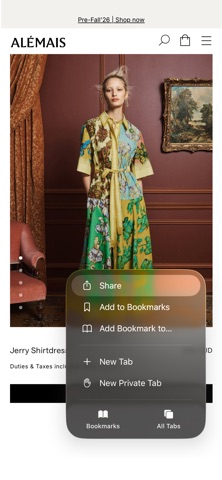
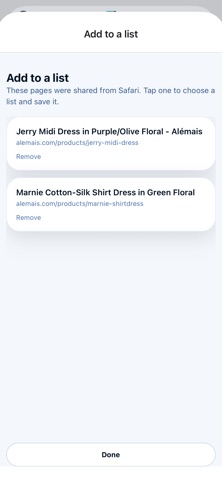
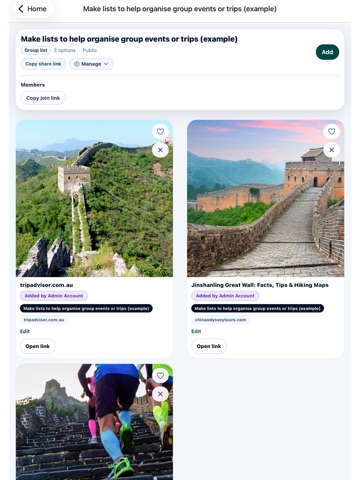
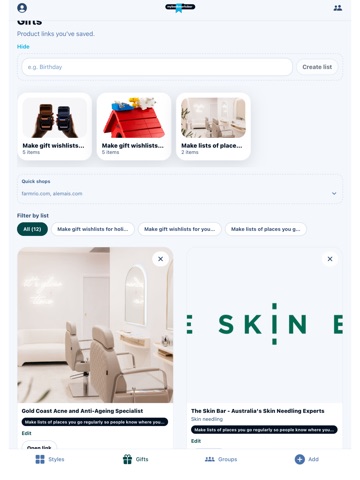
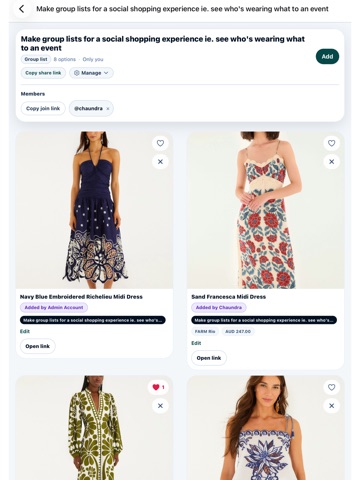
Save anything you find online and organise it your way. My Bookmarks Bar helps you save products, websites, travel ideas, inspiration and favourites from anywhere on the web. Create wishlists, trip plans, style boards and shared collections that you can access on your phone, tablet or computer. Whether you're planning a holiday, creating a birthday wishlist, organising school formal dresses or collecting ideas for your next project, My Bookmarks Bar keeps everything together. SAVE FROM ANYWHERE • Paste links directly into the app • Share links from other apps on your phone • Save pages instantly with the Chrome extension • Automatically capture titles, images, websites and product details CREATE DIFFERENT TYPES OF LISTS Wishlists Create personal wishlists and gift registries. Friends and family can reserve items or mark them as purchased without spoiling surprises. Plans Organise holidays and trips with destinations, travel dates, accommodation, activities and saved ideas. Group Lists Collaborate with friends, schools, families or event groups. Share ideas, avoid duplicates and see who added each item. Style Boards Collect inspiration, colour palettes, products and ideas in visual boards. SHARE YOUR COLLECTIONS • Public or private profiles • Share individual lists with friends and family • Followers and private accounts • Group invitations and approval controls • Public profile links PLAN TOGETHER Invite others to collaborate on trips, events and shared collections. Group members can add ideas, like items and help organise everything in one place. GIFTING FEATURES • Reserve gifts privately • Hide purchased items with Surprise Mode • Contribute towards larger gifts • Share payment methods for contributions • Avoid duplicate purchases AVAILABLE EVERYWHERE • iPhone and iPad • Web app • Chrome extension My Bookmarks Bar makes it easy to save links from anywhere, organise them into collections and share them with the people who matter.
Latest release
What’s New
For travel plans you are now able to filter your cards by destination. Fixed Share Extension.
Audience growth
Ratings growth
Baseline captured. Growth appears after the crawler observes a changed rating count.
Momentum comes from crawler snapshots for the tracked storefront. “Viral growth signal” means unusually fast recent rating gains; it is an indicator, not download data.
Price tracking
Price intelligence
First snapshot captured. The trend line starts after the next crawler price observation.
- First observed Aug 21, 2026 · 1:52 AM Free
Screenshots