About this app
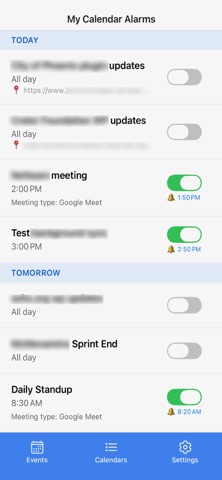
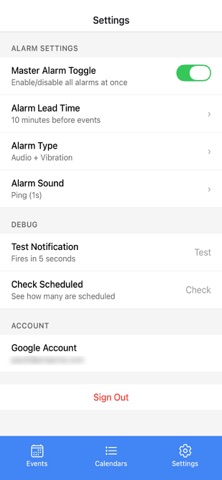
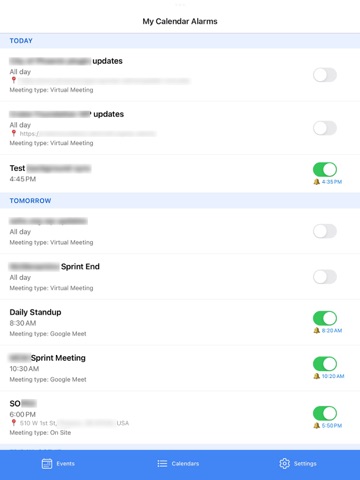
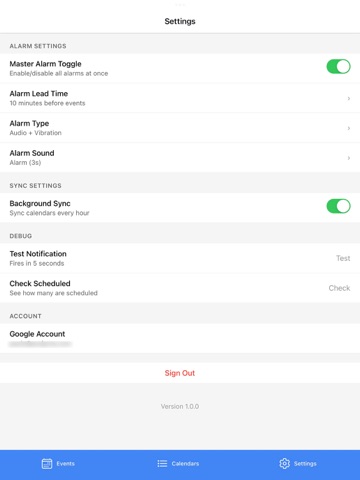
Never Miss Another Calendar Event My Calendar Alarms ensures you never miss an important meeting, appointment, or event again. Get reliable, customizable notifications before every event on your Calendar, even when your phone is locked or the app is closed. Why My Calendar Alarms? In addition to standard calendar reminders that can be easy to miss, My Calendar Alarms gives you additional control over when and how you're notified. Set custom alarm times, choose from multiple alert sounds, and manage everything from one simple interface. Key Features: • Reliable Notifications - Alarms work even when your phone is locked or the app is closed • Google Calendar Integration - Seamlessly syncs with your Google Workspace calendars • Custom Alarm Timing - Set how many minutes before each event you want to be alerted • Multiple Calendar Support - Choose which calendars on your account to sync and monitor • Per-Event Control - Enable or disable alarms for individual events with a single tap • Master Toggle - Quickly silence all alarms when needed (vacation mode, focus time, etc.) • Custom Alert Sounds - Pick from multiple notification sounds to match your preference • Clean, Simple Interface - See all your upcoming events and alarm status at a glance Perfect For: • Professionals juggling multiple meetings throughout the day • Students who need reliable reminders for classes and study sessions • Anyone who has ever missed an important appointment • People who want more control than standard calendar notifications provide • Teams using Google Workspace for scheduling How It Works • Connect your Google Calendar account (More calendar types in the works) • Choose which calendars to monitor • Set your preferred alarm timing (e.g., 10 minutes before events) • Customize your alert sound and preferences • Let My Calendar Alarms handle the rest • The app automatically syncs your calendar when you refresh and schedules reliable notifications for upcoming events. Toggle alarms on or off for specific events, or use the master switch to silence everything when you need uninterrupted time. Privacy & Security: Your calendar data is synced directly with Google using secure OAuth authentication in read-only mode. We don't store your events on our servers. Everything stays on your device. We only read the calendar information needed to schedule your alarms. Requirements • Google Calendar account (Google Workspace or personal Gmail) • iOS notification permissions for alarm delivery What Users Love • "Finally, loud calendar reminders to remind me to prepare for my next virtual meeting." • "The per-event control is exactly what I needed." • "Love that I can silence everything during vacation without losing my settings." Coming Soon - We're constantly improving My Calendar Alarms with new features like Outlook/Microsoft 365 and support, smart filtering options, and quiet hours scheduling. Support Questions or feedback? We're here to help! Contact us at help@projecta.com Download My Calendar Alarms today and take control of your schedule.
Latest release
What’s New
Background sync fix, daily reminder, and minor design changes.
Audience growth
Ratings growth
Baseline captured. Growth appears after the crawler observes a changed rating count.
Momentum comes from crawler snapshots for the tracked storefront. “Viral growth signal” means unusually fast recent rating gains; it is an indicator, not download data.
Price tracking
Price intelligence
First snapshot captured. The trend line starts after the next crawler price observation.
- First observed Aug 21, 2026 · 8:17 AM Free
Screenshots