About this app
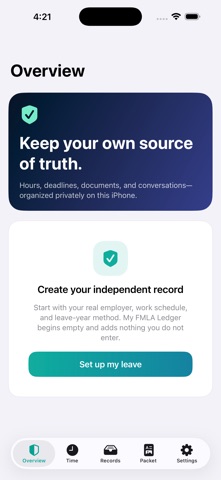
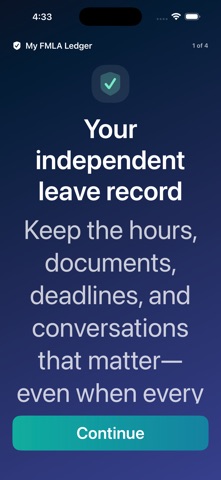
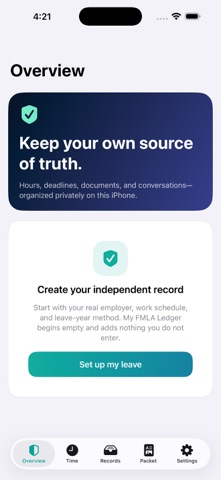
FMLA can involve an employer, a leave administrator, email, phone calls, forms, and more than one portal. My FMLA Ledger gives you one private place to maintain your own dated record. TRACK YOUR TIME Record intermittent, reduced-schedule, or continuous leave using the hours you normally work. Keep planned, reported, designated, disputed, and denied entries distinct. MAINTAIN AN INDEPENDENT ESTIMATE Choose the leave-year method identified by your employer: calendar year, fixed year, measured forward, or rolling backward. Compare your estimate with balance statements you record from your employer or administrator. PRESERVE YOUR PROOF Import real PDFs, images, receipts, and correspondence. My FMLA Ledger stores a private copy and creates a SHA-256 fingerprint for the exact imported file. REMEMBER WHAT HAPPENED Log calls, emails, portal messages, confirmation numbers, promised actions, and follow-up dates. Add local deadline reminders from the notices and information you receive. BUILD A CLEAN PACKET Generate a chronological PDF with your time ledger, balance comparison, deadlines, communication history, and fingerprinted evidence index. The underlying evidence files remain separate, so you choose what to share. PRIVATE BY DESIGN • No account • No analytics • No advertising • No tracking • No remote server • Optional Face ID or device-passcode lock • Complete backup and restore under your control My FMLA Ledger is an independent organizational tool. It is not affiliated with or endorsed by the U.S. Department of Labor, any employer, leave administrator, insurer, health care provider, union, law firm, or government agency. The app does not determine eligibility, certify a condition, designate or approve leave, calculate an official employer balance, contact anyone, or provide legal, medical, employment, tax, insurance, or benefits advice. Verify official status, balances, receipt of documents, requirements, and deadlines with the responsible organization.
Audience growth
Ratings growth
Baseline captured. Growth appears after the crawler observes a changed rating count.
Momentum comes from crawler snapshots for the tracked storefront. “Viral growth signal” means unusually fast recent rating gains; it is an indicator, not download data.
Price tracking
Price intelligence
First snapshot captured. The trend line starts after the next crawler price observation.
- First observed Aug 13, 2026 · 3:58 PM Free
Screenshots