About this app
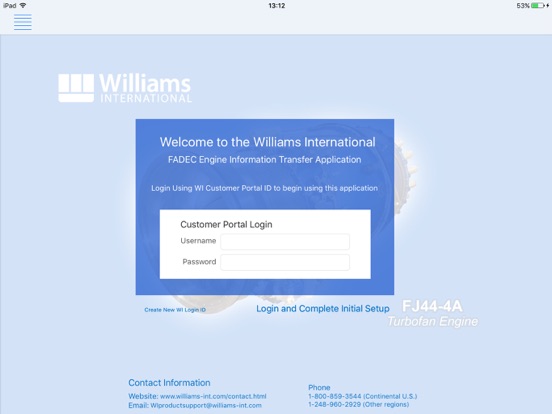
Overview Williams International - MyEngine - Information File Transfer This application facilitates the transfer of Engine Information (e-info) files from an Aircraft to Williams International. The MyEngine application has 2 Connection Modes, Aircraft and WI. In Aircraft Connection Mode the flight files on the Aircraft are acquired by the iPad. In WI Connection Mode, the e-info files are uploaded to Williams International. Acquiring Aircraft Files In order to acquire Aircraft flight files, change to Aircraft Connection Mode. Use the [ Make a Connection ], [ Connect to Aircraft ] or [ Connect to Internet ] button on the home page to access the iPad Settings (Wi-Fi) and select the appropriate Aircraft network. Once the Aircraft Wi-Fi setting is selected, return to the MyEngine home page and verify Aircraft availability via the [ Wi-Fi ] display. Aircraft file acquisition will begin automatically. Aircraft files can be re-acquired, or a cancelled acquisition can be restarted, by using the [ Retry Transfer ] button. Notifications will provide file acquisition progress or error messages. Transferring Files to Williams International After Aircraft flight files have been acquired, transfer to Williams International is available. Change to WI Connection Mode (via Internet) by using the [ Connect to Internet ] or [ Make a Connection ] button on the home page to access the iPad Settings (Wi-Fi) and select the appropriate Internet network. Once the Williams Connect (Internet) Wi-Fi setting is selected, return to the MyEngine home page and verify availability via the [ Wi-Fi ] display. File transfer to Williams International will begin automatically. Files can be re-sent, or a cancelled transfer can be restarted, by using the [ Retry Transfer ] button. Notifications will provide file transfer progress or error messages.
Latest release
What’s New
New release to speed up file transfers and remove interruptions to the file transfer process.
Audience growth
Ratings growth
Baseline captured. Growth appears after the crawler observes a changed rating count.
Momentum comes from crawler snapshots for the tracked storefront. “Viral growth signal” means unusually fast recent rating gains; it is an indicator, not download data.
Price tracking
Price intelligence
First snapshot captured. The trend line starts after the next crawler price observation.
- First observed Aug 17, 2026 · 12:17 AM Free
Screenshots