About this app
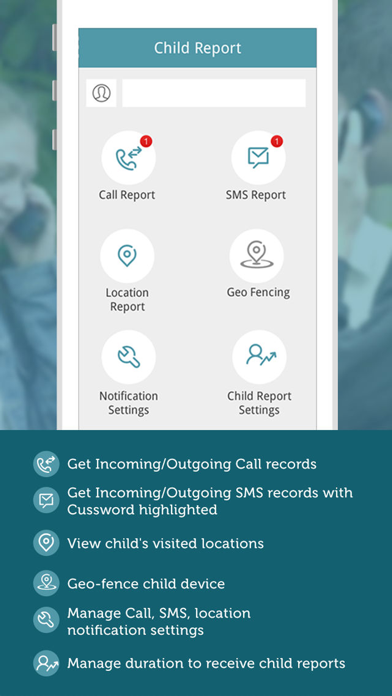
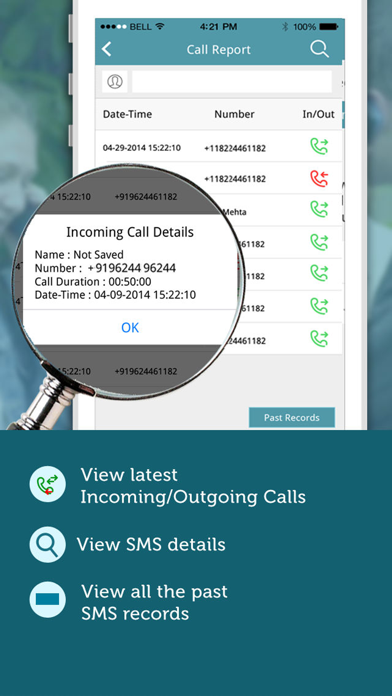
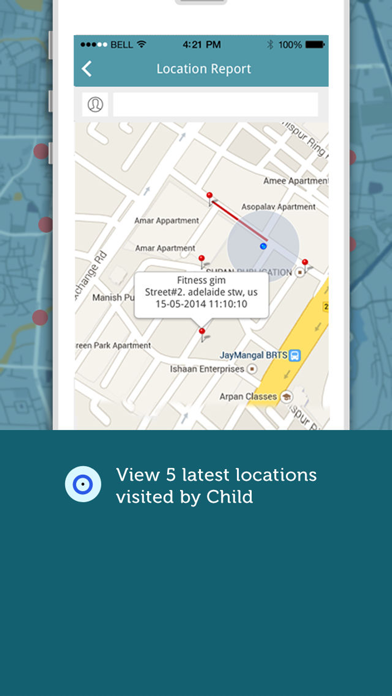
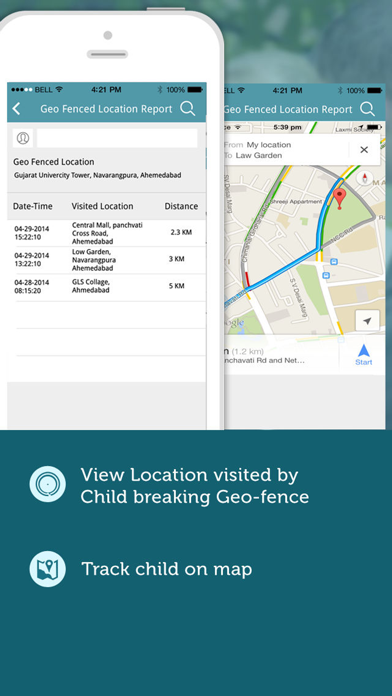
MyNiño is an application that helps parents to track their child’s GPS location, Dialed/Received Calls, Incoming/Outgoing SMSs straight on their smartphones. In addition to this, MyNiño allows parents to Geo-fence Child’s device by setting the radius (boundary) for child’s device. The parent application receives notifications and reports of Child’s Calls, SMSs, Locations visited, and locations visited breaking Geo-fence. Parent can manage settings to receive Calls, SMSs, location, and Geo-fence reports and notifications from their application without accessing the child app installed on child’s device. NOTE: To receive the Incoming/Outgoing Calls and SMSs reports on iPhone device, the child application will require to be installed on other platforms. If child is using iPhone, then parent will only be able to track child’s recent visited locations and locations visited breaking Geo-fence. Using MyNiño, Parent can get the below reports when child app is running on Child’s smartphone, 1. All Dialed and Received Calls of Child (if child is using smartphone other then iPhone) 2. All Incoming and Outgoing SMSs of Child (if child is using smartphone other then iPhone) 3. Child's phone contacts 4. Child’s visited locations. 5. Locations visited by child breaking Geo-fence. 6. Get notification alert when Child’s mobile is switched off or is not in GPRS/Wi-Fi range. 7. Get Past reports for Calls and SMSs. To run MyNiño successfully, perform the below steps: 1. Download the parent application from iTunes store. 2. Install the parent application on parent’s device and register. 3. And than download & install Child application on child's phone (As per instructions given in the email received after successfully parent app registration and verification) 4. After installing child app, enter child’s name and your (parent) registered email id/password. 5. On submitting above details from child app, Parent will be able to see the child added in parent application in left panel. 7. In Parent application, tap on child name (in left panel) to view child reports. 8. Manage notification settings and Child report settings from settings option in parent application by tapping child name Internet connectivity is must for reports to be generated. NOTE: Continued use of GPS running in the background can dramatically decrease battery life. For quick support, write us on mobileproducts@silvertouch.com
Latest release
What’s New
This update from Apple will improve the functionality of this app. No new features are included. - iPhone X compatibility.
Audience growth
Ratings growth
Baseline captured. Growth appears after the crawler observes a changed rating count.
Momentum comes from crawler snapshots for the tracked storefront. “Viral growth signal” means unusually fast recent rating gains; it is an indicator, not download data.
Price tracking
Price intelligence
First snapshot captured. The trend line starts after the next crawler price observation.
- First observed Aug 26, 2026 · 4:42 AM Free
Screenshots