About this app
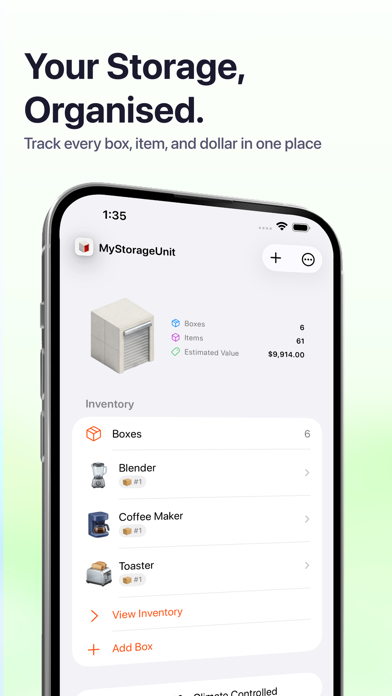
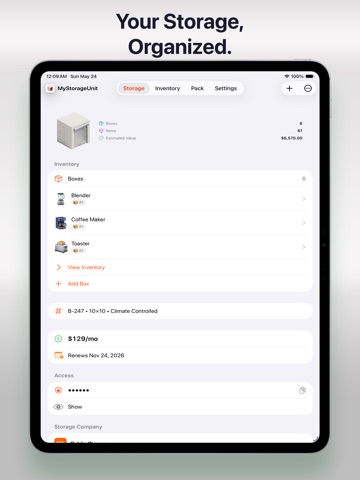
Know exactly what's in your storage unit and where to find it. MyStorageUnit helps you catalog every item across multiple storage units and boxes. Add photos, track quantities and estimated values, and organize with labels and flags. When you need to find something, search your entire inventory instantly. ORGANIZE YOUR WAY Create storage units with real details — facility name, address, access hours, and access codes. Add boxes with custom labels and flags like Fragile, Heavy, Documents, or Valuables. Place items directly in units or inside specific boxes for a clear hierarchy. PACK FAST The dedicated Pack tab lets you add items quickly. A built-in catalog of over 1,000 common items offers smart suggestions as you type. Your last-used box is remembered, so you can keep packing without extra taps. TRACK WHAT MATTERS Record item quantities, estimated values, and brands. Choose from 1,000+ brands with logos for quick identification. Attach photos to both items and boxes so you always remember what's inside. MANAGE YOUR LEASE Store facility details, lease dates, billing intervals, and costs in 160+ currencies. See at a glance when your lease is expiring or up for renewal. FIND ANYTHING Search across all storage units, boxes, and items at once. Results show the full path — which unit, which box, which item — so you go straight to what you need. EXPORT YOUR DATA Generate CSV or PDF reports of your entire inventory, a single unit, or a specific box. Great for insurance records, moving checklists, or sharing with family. SYNC & SECURE Enable iCloud to keep your inventory in sync across iPhone and iPad. Lock the app with Face ID or Touch ID for privacy. All data stays on your device or in your personal iCloud — no accounts, no uploads, no third-party servers. Terms of Use (EULA): https://www.apple.com/legal/internet-services/itunes/dev/stdeula/
Latest release
What’s New
We added the ability to scan box QR codes right from within the app. Scanning a box QR code with your native camera will open the app, load that box, and display the inventory right away.
Audience growth
Ratings growth
Baseline captured. Growth appears after the crawler observes a changed rating count.
Momentum comes from crawler snapshots for the tracked storefront. “Viral growth signal” means unusually fast recent rating gains; it is an indicator, not download data.
Price tracking
Price intelligence
First snapshot captured. The trend line starts after the next crawler price observation.
- First observed Oct 15, 2026 · 3:23 PM Free
Screenshots