About this app
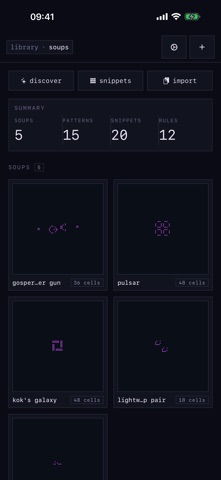
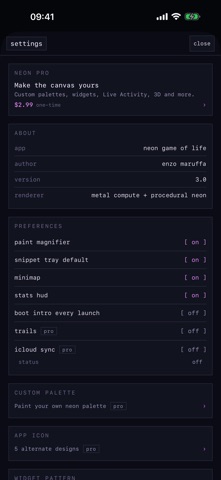
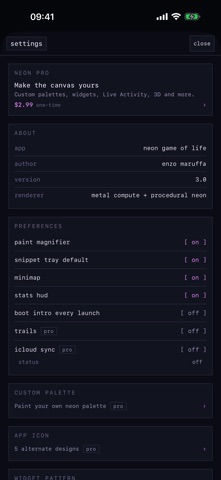
NEON is Conway's Game of Life, reborn in neon. Paint a handful of glowing cells, hit play, and watch them breed, drift, and collide — gliders streak across the grid, pulsars breathe, and a Gosper gun throws spaceships into the dark. It's a sandbox, not a screensaver. Every tool for building and studying patterns is free. THE SIMULATION — free — 12 rulesets: Conway (B3/S23), HighLife, Day & Night, Amoeba, Mazectric, Coral, Diamoeba and more — plus a B/S rule builder for your own totalistic rules. — Toroidal grids sized to your device, driven by a GPU compute kernel that keeps up. — A per-cell procedural neon shader — no sprites; every living cell is drawn live. PAINT & EDIT — free — Paint or erase with a fingertip; a live loupe magnifies exactly the cell under your finger. — Region select: marquee any rectangle, then copy, cut, clear, save as a snippet, or export as RLE. Paste it anywhere. — 20 canonical snippets (block, glider, LWSS, pulsar, queen-bee shuttle…) with live toroidal previews. Drag to stamp; rotate or flip before you drop. — Symmetry brush — 2-, 4-, or 8-fold mirrored drawing. — Full LifeWiki RLE round-trip: paste, fetch from a URL, or open a .rle file, plus a raw-text editor over the live grid. STUDY — free — A 15-pattern Discover catalog: Gosper gun, Simkin gun, acorn, R-pentomino, replicator, garden of Eden — with provenance. — Timeline scrubber — pause and rewind all the way back to the first generation. — Population sparkline, live cell count, generation counter, and stability detection (still life / period-N oscillator / extinction). — Minimap and stats HUD, both toggleable right on the canvas. SHARE — free — Pattern links: every soup encodes into a neongameoflife:// URL you can drop in a message. No server, no account. — Record the canvas to MP4 or GIF. Full iPad keyboard shortcuts. NEON PRO — optional A one-time purchase, family-shareable, no subscription. Every tool for building and studying patterns is free; Pro is the finish — more speed, surface, and instrumentation. — Fast-forward to 1,000 generations/second. — Arbitrary grid sizes and a 16×16 custom snippet creator. — iCloud sync of your library across devices. — An interactive Home Screen widget and a Dynamic Island Live Activity, each running a live mini-sim. — Pattern labels that identify gliders, oscillators, and still lifes and track them as they move. — An activity heatmap that renders cell-flip frequency as a cool-to-hot overlay. — A 3D time-stack you can orbit — every generation stacked in space, from a single instanced draw. — A neon palette editor, animated themes, and cell trails. — 15 alternate app icons drawn from classic patterns. PRIVACY No accounts, no tracking, no third-party SDKs, no analytics. Your patterns live on your device and, if you opt in, in your own iCloud private database. Share links carry the pattern inline — nothing touches a server. Built in Swift + SwiftUI, from a 2019 SpriteKit experiment rebuilt from the compute kernel up.
Latest release
What’s New
NEON 3.0.1 — polish & fixes. — Paint now lands exactly under your fingertip, and the loupe shows precisely the cell you're drawing. — The 3D time-stack runs on a new engine: it handles big grids and long histories smoothly, builds in the background, and can be cancelled — no more freezes or crashes. — Rewind the timeline all the way back to the first generation. — Higher top speed — up to 1,000 generations/second with Neon Pro. — Create custom grids up to 10,000×10,000 (with a heads-up when a size may be too big for your device). — Toggle the minimap, stats HUD, and cell trails right on the canvas. — Clearer labels on the top-bar buttons. — Steadier iCloud sync. — The selection toolbar no longer hides behind the stats panel.
Audience growth
Ratings growth
Baseline captured. Growth appears after the crawler observes a changed rating count.
Momentum comes from crawler snapshots for the tracked storefront. “Viral growth signal” means unusually fast recent rating gains; it is an indicator, not download data.
Price tracking
Price intelligence
First snapshot captured. The trend line starts after the next crawler price observation.
- First observed Aug 19, 2026 · 10:00 AM Free
Screenshots