About this app
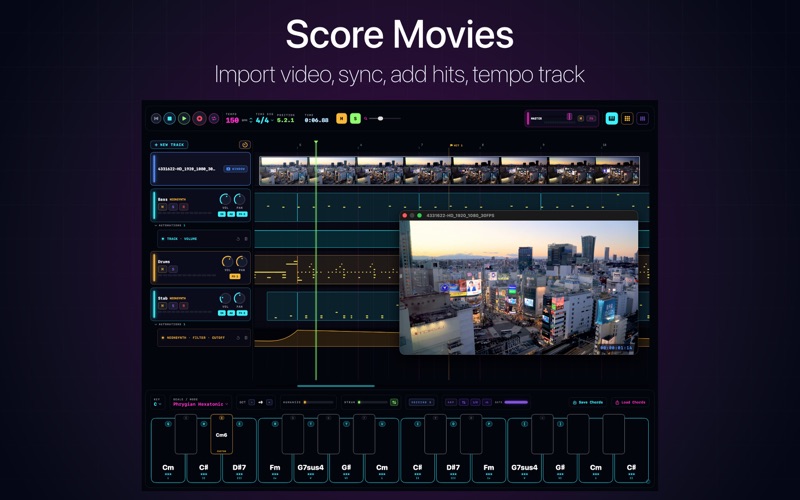
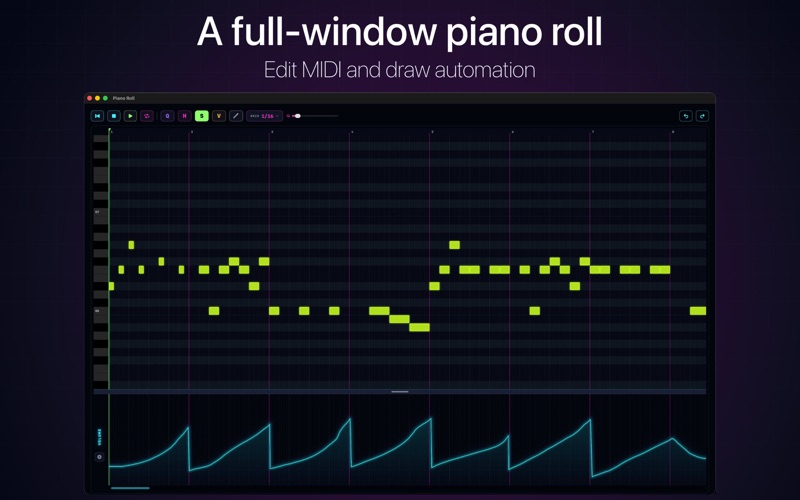
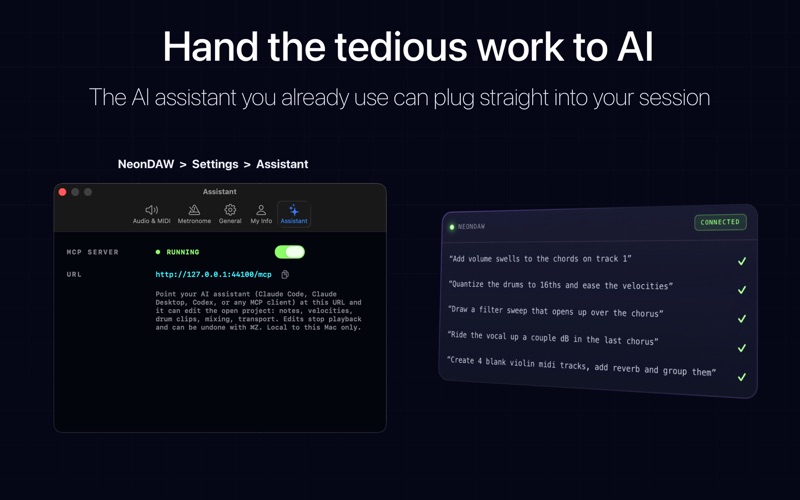
NeonDAW is a Digital Audio Workstation for Mac. Try it free. Write, arrange, mix, and export in a full session with the included instruments, FX, piano roll, chord pad, drum machine, and mixer. Reopen your saved projects with a Pro Access subscription (In-App Purchase). Create for free; pick the session back up when you subscribe. CREATE Polyphonic Synth, Vaporwave Synth, Sampled Grand Piano, Vocal Ensemble, String Section, Woodwinds, Flutes, Brass Section, Mallets, Drums, and Concert Harp. FX built in-house with established DSP: Pitch Correction, 8-Band Parametric EQ, Plate Reverb, Ping-Pong Delay, Limiter, Chorus, Distortion, Envelope Filter, and Stereo Imager. A Dattorro plate, a biquad EQ, an oversampled waveshaper. Chain them on any track. COMPOSE & ARRANGE MIDI editor, automation, chord pad, and drum machine. Full-window piano roll and automation lanes for every plugin control (right-click the dial). Draw and edit notes, set velocity, quantize to the grid. Edits play through the track’s instrument and effects as you make them. Chord Pad: pick a key and scale and the pad fills with chords that fit — fourteen across two octaves, labeled with roman numerals. Adjust voicing, add strum or humanize, or run it through the arpeggiator. Play it from your Mac keyboard and save chord sets. Drum machine: 16-step sequencer with included sample kits. Program a pattern and it loops while you play over it. Load your own samples. Every drum hits the same mixer and effects as the rest of the project. AI ASSISTANT NeonDAW speaks MCP, so the assistant you already use can connect to the session. Set the MCP server URL in NeonDAW > Settings > Assistant. Ask in plain language for the tedious parts: • Create tracks and load instruments or presets • Quantize timing and smooth velocities • Draw automation — volume rides, filter sweeps, fades • Sketch a beat or chord bed • Set levels, panning, and mix balance Example: “Add volume swells to the chords on track 1” or “Create 4 blank violin MIDI tracks.” PRO ACCESS (In-App Purchase) Subscribe to reopen saved projects and keep working across sessions. The free app already includes instruments, FX, editing, and export while you are in a session. https://neondaw.com/privacy.html https://neondaw.com/terms.html
Audience growth
Ratings growth
Baseline captured. Growth appears after the crawler observes a changed rating count.
Momentum comes from crawler snapshots for the tracked storefront. “Viral growth signal” means unusually fast recent rating gains; it is an indicator, not download data.
Price tracking
Price intelligence
First snapshot captured. The trend line starts after the next crawler price observation.
- First observed Sep 5, 2026 · 7:33 PM Free
Screenshots