About this app
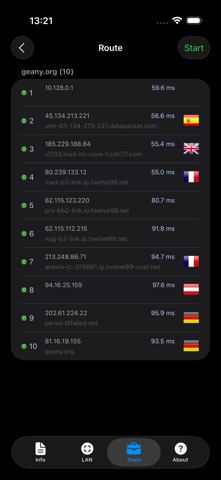
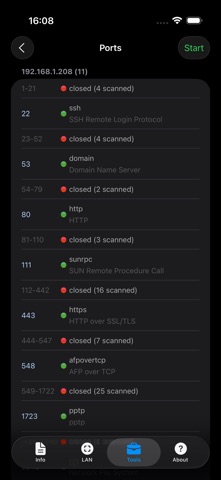
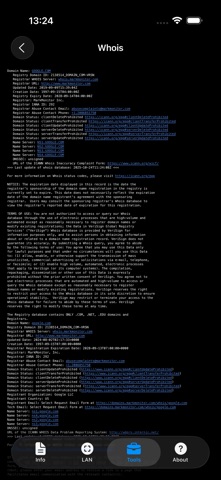
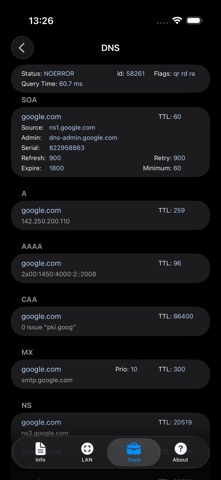
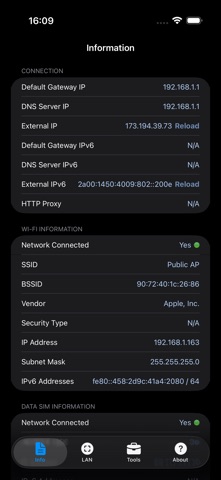
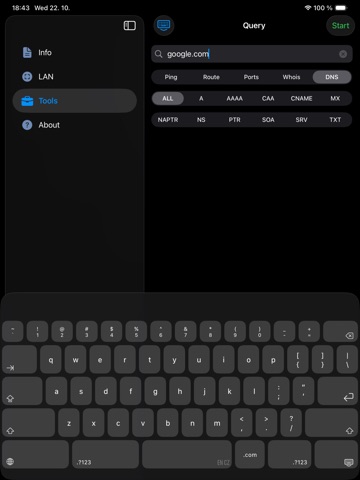
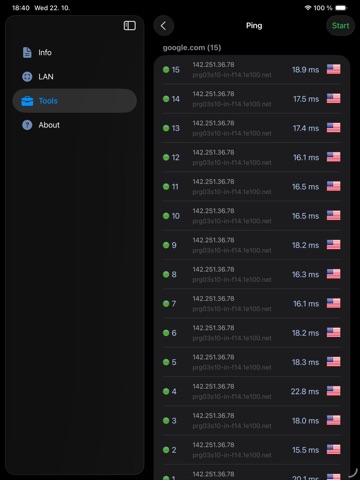
Network Analyzer is a free, easy-to-use network toolkit that turns your iPhone or iPad into a handy diagnostic instrument. Scan your network, discover every device connected to it, and troubleshoot connection problems in seconds - no technical background or extra hardware required. Built for curious home users and IT professionals alike, it packs a LAN device scanner, ping, traceroute, port scanner, DNS lookup, and whois into one clean, fast app. Try it for free, and upgrade to Network Analyzer Pro whenever you want advanced tools like traceroute visualization on the map, internet speed test, Wake on LAN, and more. LAN scanner: - Fast and reliable detection of all network devices - IP addresses of all discovered devices - NetBIOS, mDNS (Bonjour), LLMNR, DNS, and SNMP name where available - Reachability (ping) test of discovered devices - IPv6 availability and discovered IPv6 addresses Ping & traceroute: - Round-trip delay including IP address and hostname for every network node - Country detection of the analyzed server - Support for both IPv4 and IPv6 Port scanner: - Scan common ports, custom port ranges, or the complete port range - Detection of closed, firewalled, and open ports - Description of the known open port services Whois: - Look up domains, IP addresses, and AS numbers - Support for both classic whois and the modern RDAP protocol DNS lookup: - Functionality similar to nslookup or dig - Query all record types at once or one specific type - Support for A, AAAA, CAA, CNAME, HINFO, LOC, MX, NAPTR, NS, PTR, SOA, SPF, SRV, SSHFP, TXT records Network information: - Default gateway, external IP (v4 and v6), DNS server, HTTP proxy - Wi-Fi network information such as SSID, BSSID, router vendor, security type, IP address (v4 and v6), and subnet mask - VPN, USB Ethernet, and personal hotspot connection details - Cell network information such as IP address and network type, with dual SIM support More: - Light and dark theme - Full IPv6 support everywhere - Detailed help - Regular updates
Latest release
What’s New
- improve NAT64 network support for external IP, ping and traceroute - support SVCB/HTTPS record types - add modern RDAP-based whois - add SNMP name resolution in LAN scanner - add Settings shortcut to the About page - lots of cleanups, bug fixes and internal modernization of the app
Audience growth
Ratings growth
Momentum comes from crawler snapshots for the tracked storefront. “Viral growth signal” means unusually fast recent rating gains; it is an indicator, not download data.
Price tracking
Price intelligence
- First observed Aug 18, 2026 · 2:39 AM Free
Screenshots