About this app
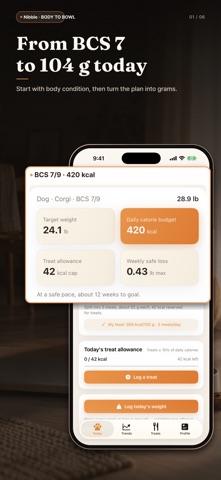
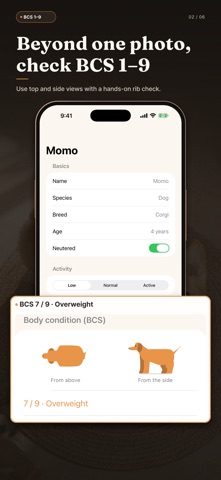
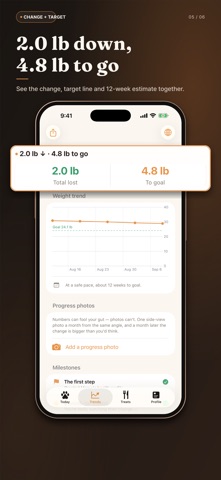
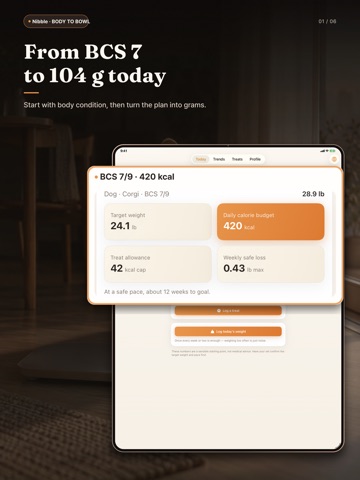
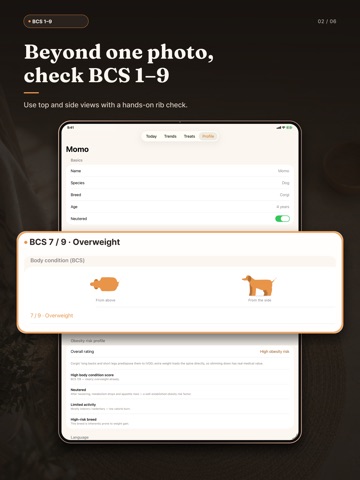
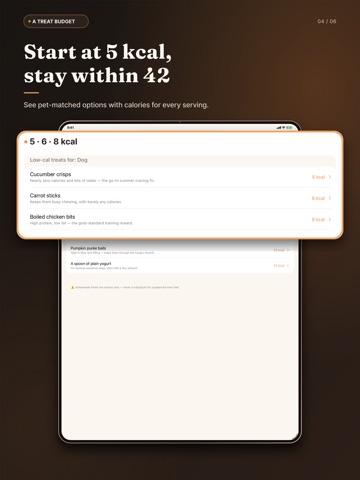
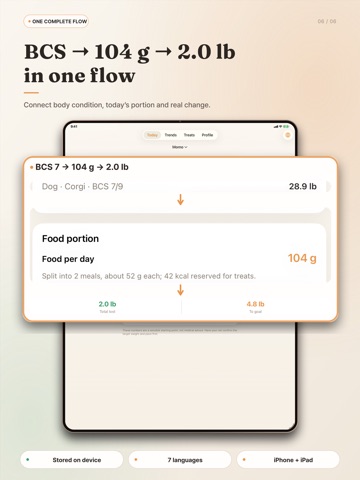
Nibble helps dogs and cats lose weight safely — and tells you exactly how much to feed today. Score your pet's body condition, enter the calories printed on the food bag, and Nibble turns it into grams per meal. Tap each meal as you serve it, keep treats inside a small daily allowance, and weigh in once a week. Nibble watches the pace so your pet never loses too fast. TODAY'S MEALS, AT A GLANCE · Grams per day and per meal, worked out from your food's calories · Tap a meal once it's served — in the app or right from the Home Screen widget · Optional scoop or cup conversion: weigh your scoop once, then see "≈ ½ cup" KNOW WHERE YOUR PET STANDS · Body Condition Score (BCS 1–9) with illustrations that change as you score · Risk notes based on breed, neutering, age and activity A PACE THAT STAYS SAFE · Weekly loss guardrails: at most 1.5% for dogs and 0.7% for cats · Cats must never lose weight fast — Nibble flags it right away · A coach note after every weigh-in: steady, too fast, plateau or below target TREATS WITHOUT GUESSWORK · A separate treat allowance of up to 10% of daily calories · Low-calorie treat ideas with one-tap logging, undo and portion edits WEIGH-INS MADE EASY · Can't weigh your pet alone? Step on the scale holding them — Nibble subtracts your weight · Add a weigh-in you missed, fix or delete an entry · Trend line, milestones and monthly photo comparisons EXPORT & SHARE · A one-page weight report (PDF) to bring to checkups, plus a CSV of every weigh-in and treat YOURS, AND ONLY YOURS · No account and no ads. Your records stay on your device. Nibble gives everyday reference numbers, not medical advice. Please confirm the target weight and pace with your vet before you start.
Latest release
What’s New
A calmer new look, and a Today screen built around the question that matters most: how much to feed. • Today's meals: grams per meal up top — tap each meal as you serve it • New Home Screen widget: check off meals without opening the app (iOS 17 or later) • Weigh-in helper: hold your pet on the scale and Nibble subtracts your weight • Add missed weigh-ins, and edit or delete entries • Cup or scoop conversion, plus help reading the calories on the bag • Undo a treat or change its portion • Export a one-page weight report (PDF) and a CSV • Safer coaching for small cats: no more false "plateau" while they're losing at a safe pace • Many fixes, including a crash that could happen when deleting an item failed
Audience growth
Ratings growth
Baseline captured. Growth appears after the crawler observes a changed rating count.
Momentum comes from crawler snapshots for the tracked storefront. “Viral growth signal” means unusually fast recent rating gains; it is an indicator, not download data.
Price tracking
Price intelligence
First snapshot captured. The trend line starts after the next crawler price observation.
- First observed Oct 6, 2026 · 2:11 AM Free
Screenshots