About this app
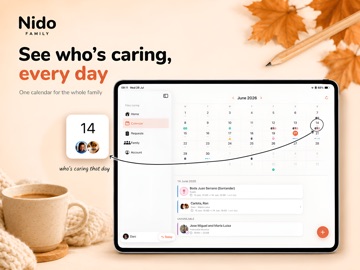
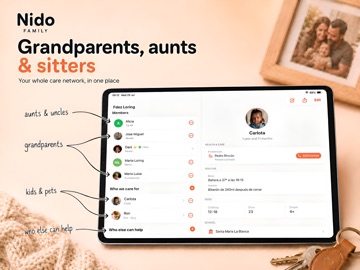
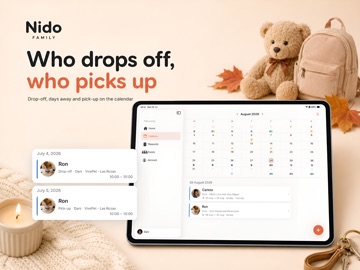
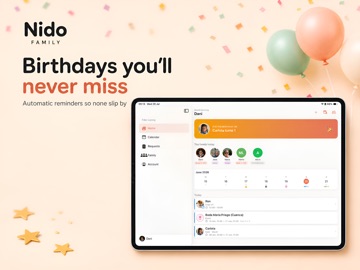
Coordinate childcare without the last-minute calls and missed messages. Nido connects your whole family — parents, grandparents, aunts and uncles — in one place to organize who takes care of the kids, when and how. HOW IT WORKS 1. Create your family and invite members 2. Send care requests with date, time and assigned dependent 3. The caregiver confirms or declines directly in the app No calls. No lost messages. Everything is tracked. CARE REQUESTS Ask for help picking up the kids, taking them to the doctor, or any other care need. Assign the most available person and get instant confirmation. FAMILY CALENDAR All events and confirmed requests in one shared calendar. Each family has its own color so you can tell them apart at a glance. AUTOMATIC REMINDERS The app sends reminders the evening before and 2 hours before each confirmed request. No one forgets anything. UNAVAILABLE? NO REQUESTS. Members can mark their absences and schedules. When creating a request, Nido warns you if someone is not available that day. IN YOUR EVERYDAY CALENDAR With Nido Plus, confirmed requests automatically appear in Apple Calendar. No copying dates. No switching between apps. NIDO PLUS — YOUR WHOLE FAMILY INCLUDED When you activate Nido Plus, all members of your family enjoy full access at no extra cost. With Nido Plus: - Unlimited family members - Unlimited monthly requests - Apple Calendar sync - Automatic recurring requests - Automatic reminders - Full request history with no time limit 14-day free trial. No commitment. Cancel anytime. Nido is for families who care together. --- Terms of Use (EULA): https://www.apple.com/legal/internet-services/itunes/dev/stdeula/ Privacy Policy: https://nidofamilyapp.com/en/legal.html#privacy
Latest release
What’s New
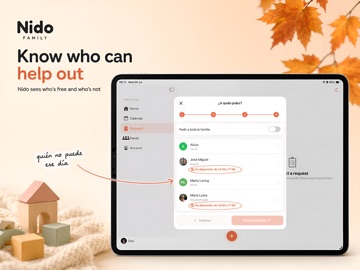
Nido comes to iPad. - Built for iPad: a proper sidebar and two-pane layout in Requests and Family, so you see the list and the detail at once. - Switch between families straight from the sidebar. - Welcome, sign-up, sign-in and initial setup now fit the bigger screen. - Category icons on Home and Calendar finally match. - A new verification email, with Nido's own look and in your language. - Weight, height and head circumference now show two decimals in growth tracking. - Fixed: signing out of a device stops notifications for that account reaching it. Thanks for using Nido. If something doesn't work as expected or you're missing a feature, write to us — we read every message.
Audience growth
Ratings growth
Baseline captured. Growth appears after the crawler observes a changed rating count.
Momentum comes from crawler snapshots for the tracked storefront. “Viral growth signal” means unusually fast recent rating gains; it is an indicator, not download data.
Price tracking
Price intelligence
First snapshot captured. The trend line starts after the next crawler price observation.
- First observed Aug 12, 2026 · 5:59 PM Free
Screenshots